22-10-2026
Release Notes
New Features
-
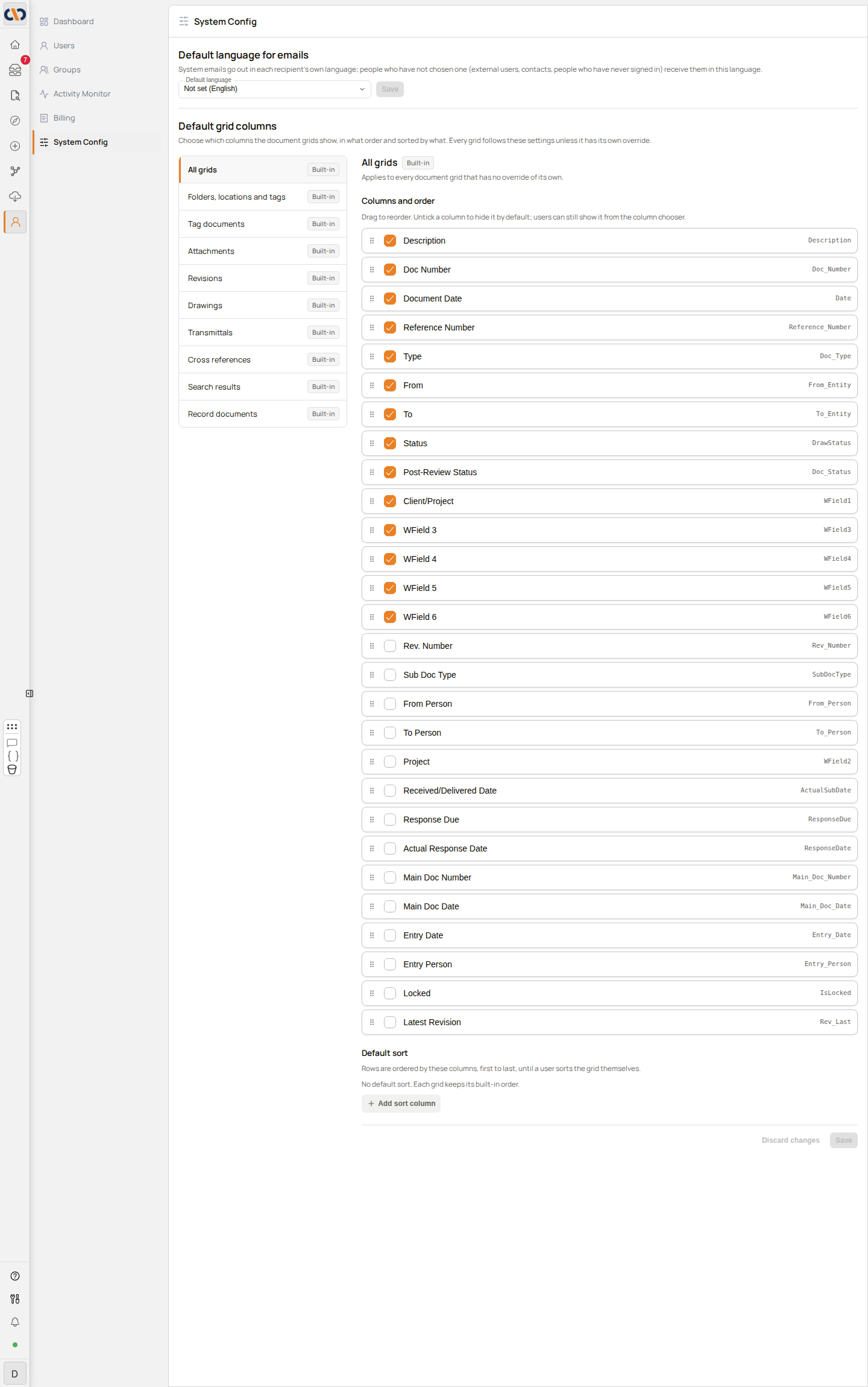
Default grid columns: Administrators can choose the columns, column order and sort that every document grid starts with, from System Config in the Admin Console. One grid can be given its own columns. Users can still change the columns for themselves, and Reset columns to default in the column chooser returns a grid to the administrator's settings. See System Config for full instructions.
-
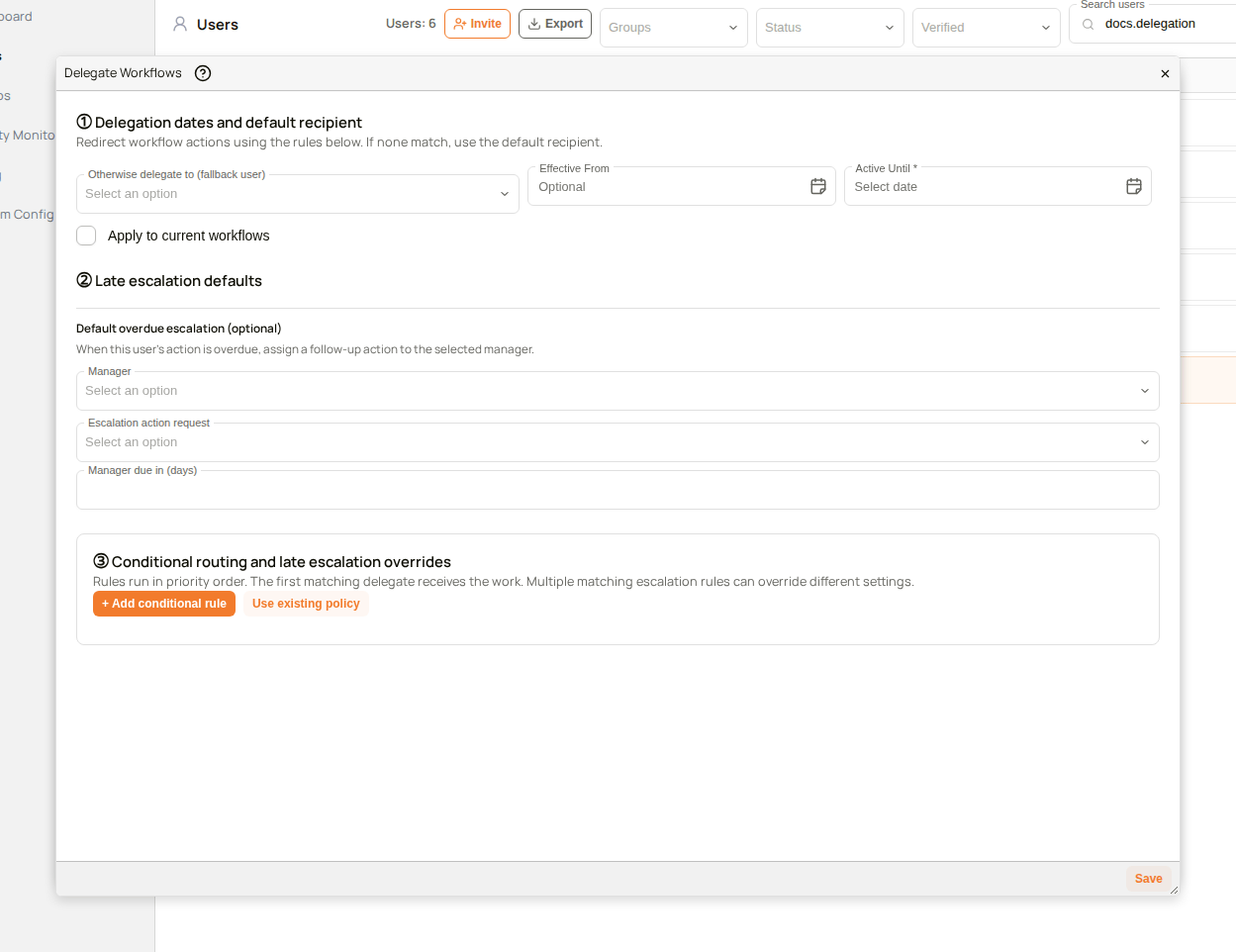
Conditional delegation rules: When a user's workflows are delegated, rules in the Delegate Workflows dialog can send documents that match a condition, such as a project, to a different delegate. Rules can combine conditions, are applied in order, and can be reused for other users. See Delegating Workflows for full instructions.
-
Zoom to an area of a page: Holding Ctrl (Cmd on a Mac) and dragging across a page in the document preview draws a box, and the view zooms in so that the area fills the preview. Zooming with Ctrl and the mouse wheel is smoother. See Annotations for details.

-
HEIC photo previews: HEIC photos, the format many phones use, are shown in the document preview and have thumbnails. See Document Preview.
Improvements
- Export to Excel from a grid: Export to Excel saves only the columns the grid shows, in the same order and under the same column names. See Document Grid.
- Supported browsers: Docwize checks the browser before the sign-in page opens. A browser that no longer receives security updates is shown an explanation instead, and users can sign in after updating it or switching to another browser. See Logging In.