API Key Management
API Key Management is where users generate and manage the Bearer tokens used to authenticate requests to the Docwize API. Each key can be scoped to specific areas of the system, disabled without being deleted, and re-scoped later.
Access: New > API KEY MANAGEMENT > API Key Management
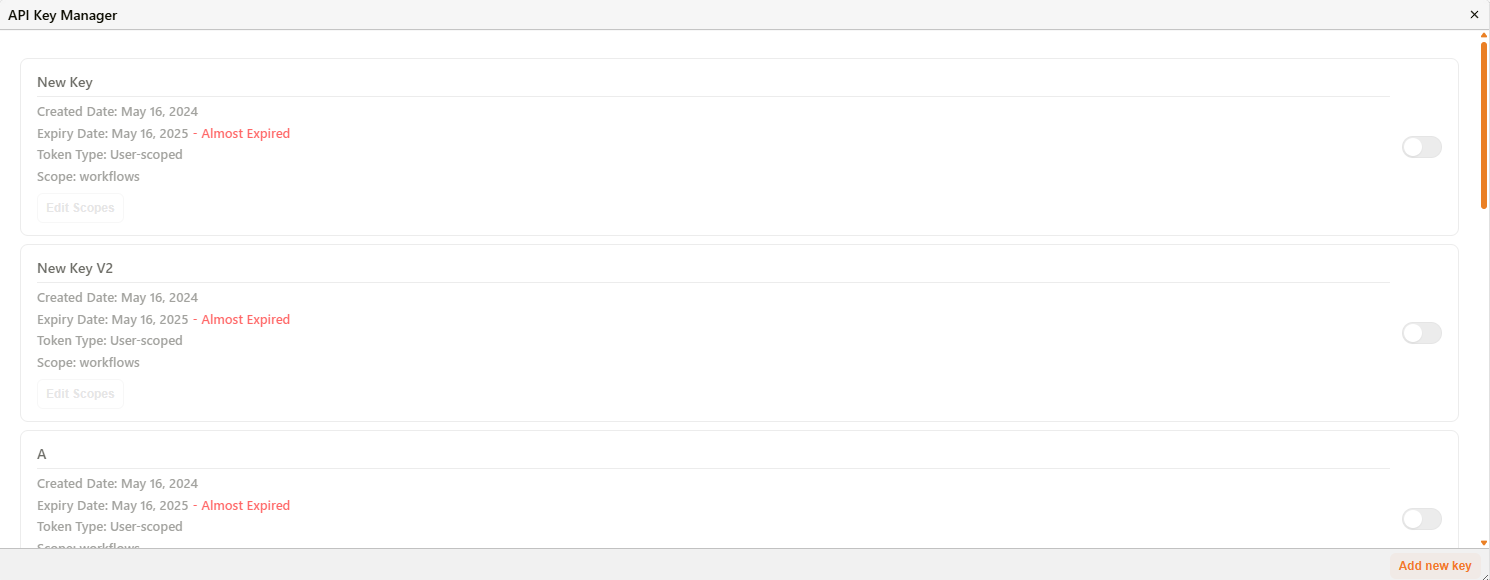
The API Key Manager list
Overview
The API Key Manager lists every key created for the organisation. Each card shows:
| Field | Description |
|---|---|
| Name | The label given to the key when it was created. |
| Created Date | The date the key was generated. |
| Expiry Date | The date the key stops working. A key nearing its expiry date is flagged Almost Expired. |
| Token Type | The scope of the token — for example, User-scoped. |
| Scope | The permission areas the key grants access to (see Editing scopes below). |
| Enable/disable toggle | Switches the key on or off without deleting it. |
| Edit Scopes | Opens the scope picker for this key. Only available while the key is enabled. |
Editing scopes
Click Edit Scopes on an enabled key to open the scope picker.
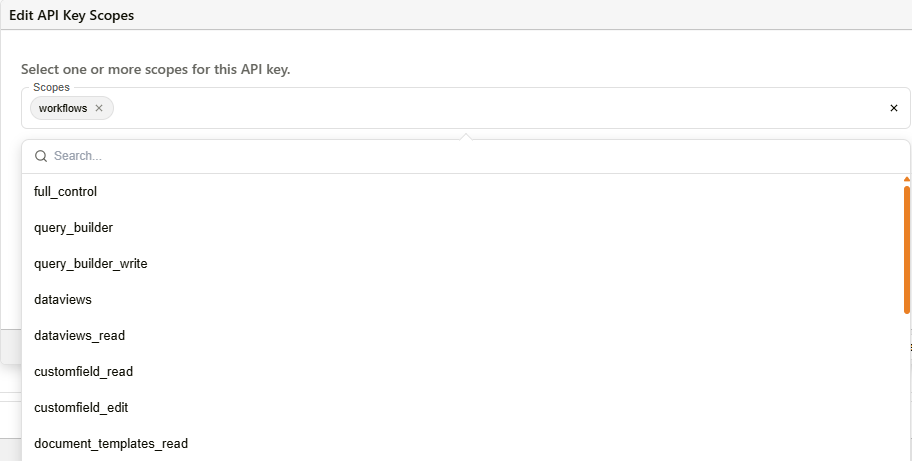
The Edit API Key Scopes dialog
A key can hold one or more scopes at once. Available scopes:
| Scope | ||
|---|---|---|
full_control | documents_read | email_templates |
query_builder | documents_write | lookup_lists |
query_builder_write | records_read | workflows |
dataviews | records_write | downloads |
dataviews_read | ref_numbers | |
customfield_read | document_templates_read | |
customfield_edit | document_templates_write |
Select or remove scopes, then Save to apply the change, or Cancel to discard it.
Troubleshooting
| Issue | Detail |
|---|---|
| Edit Scopes is greyed out | The key is currently disabled. Switch the key's toggle on to re-enable scope editing. |
| Key shows Almost Expired | The key's expiry date is approaching. Requests using this key will stop authenticating once it expires. |
Related configuration
- API Integration — the endpoint reference these keys authenticate against via the
Authorization: Bearerheader