Tenant Settings
The Tenant Settings panel configures sign-in policy, session lifetime, federation domains, and identity provider connections for a tenant — the entity that owns one or more organisations in Docwize. It is the setup point for single sign-on (SSO).
Who configures this
Users who are a global or billing administrator for at least one tenant. The panel opens from the login menu in the top-right corner of the portal, via Tenant & Billing > Settings. Users without this access do not see the Tenant & Billing option in the login menu at all.
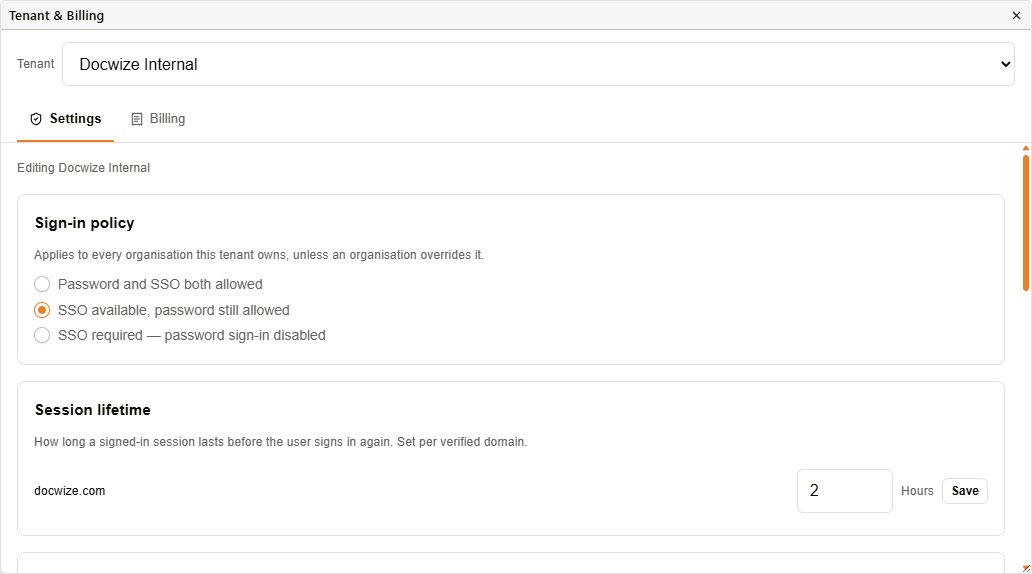
Tenant Settings panel — Sign-in policy and Session lifetime
Tenant picker
A Tenant dropdown at the top of the panel lists every tenant the signed-in user administers. Selecting a different tenant loads that tenant's own settings under the same panel — each tenant's sign-in policy, domains, and identity providers are configured independently.
Sign-in policy
This policy applies to every organisation the tenant owns, unless an individual organisation overrides it.
| Option | Description |
|---|---|
| Password and SSO both allowed | Users can sign in with either a password or SSO. |
| SSO available, password still allowed | SSO is offered but password sign-in remains available. |
| SSO required — password sign-in disabled | Only SSO sign-in is allowed. Disabled until at least one identity provider is configured, to prevent locking every user out. |
Session lifetime
Sets how long a signed-in session lasts, in hours (1–168), before the user has to sign in again. Configured per verified federation domain, and saved independently with its own Save button.
Federation domains and identity providers
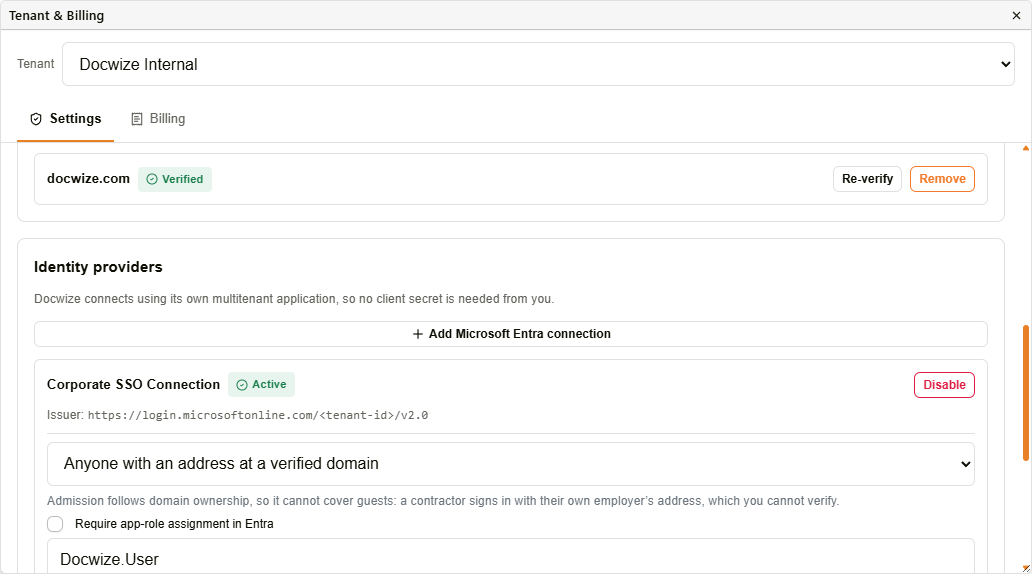
Federation domains and Identity providers
Federation domains
| Field | Description |
|---|---|
| Domain field + Add domain | Adds a new email domain for the tenant. Must be verified by DNS before it can route sign-in or admit users. |
| Re-verify | Re-checks DNS verification for an already-verified domain. |
| Remove | Removes a verified domain from the tenant. |
Identity providers
| Field | Description |
|---|---|
| Add Microsoft Entra connection | Starts a new Microsoft Entra ID (Azure AD) identity provider connection. Docwize connects using its own multitenant application, so no client secret needs to be supplied. |
| Active / Disable | Shows whether an existing connection is active, and lets it be disabled. |
| Issuer | The connection's identity provider issuer URL. |
| Admission scope | Controls who is admitted through this connection: Only people already set up in Docwize, Anyone with an address at a verified domain, or Anyone you assign the app role to in Entra. Domain-based admission cannot cover guests, since a guest signs in with an address at their own employer's domain. |
| Require app-role assignment in Entra | When enabled, only identities assigned a specific Entra app role (named in the field below) are admitted. |
| Create Docwize users from this directory | When enabled, each sign-in creates or updates the Docwize user record and puts them in that organisation's default groups. An organisation only takes part once at least one of its groups is marked a default group, in that organisation's own Admin Console. Default groups are re-applied at every sign-in, so removing one by hand does not last. |
| Sync groups from this directory | When enabled, groups reported by the directory are created in Docwize, and membership follows the directory in both directions — someone removed from the directory group loses the group here too. Only groups linked to a directory group are affected; every other group is left alone. Requires group claims on the Docwize app registration. |
| Domain link dropdown | Links a verified federation domain to this identity provider connection. |
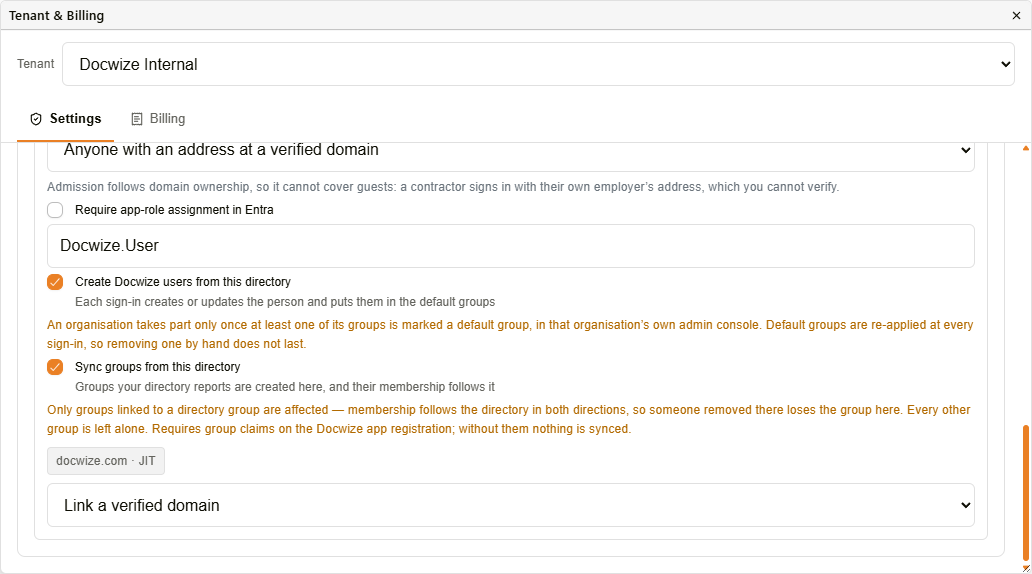
Provisioning and group sync options
Billing tab
The Billing tab alongside Settings shows the same usage and cost breakdown as the organisation-level Billing page, scoped to the selected tenant rather than a single organisation.
Troubleshooting
| Risk | Detail |
|---|---|
| Tenant & Billing option missing from the login menu | Access requires global or billing administrator rights for at least one tenant. Contact the account owner or Docwize support. |
| SSO required option disabled | At least one identity provider connection must be active first, to avoid locking every user out of the tenant. |
Related configuration
- Admin Console — overview of all Admin Console areas
- Billing — per-organisation usage and cost overview
- Groups — default groups for auto-provisioned users
- Logging In — the sign-in experience this policy governs