Elasticsearch Query Assistant
Elasticsearch is a distributed search and analytics engine designed to store, search, and analyze large volumes of data very quickly. It is commonly used for full-text search, log analysis, and real-time analytics. The Docwize Elasticsearch Query Assistant allows users to build and test Elasticsearch queries against indexed documents in their Docwize database. This feature enables users to perform detailed searches, troubleshoot search behaviour, or develop custom queries.
What you can do in the Elasticsearch Query Assistant
- generate Elasticsearch queries from natural language
- edit queries in JSON format
- run queries against indexed documents
- preview search results directly in Docwize
The 'Elasticsearch Query Assistant' is accessed by the 'Elasticsearch' icon in the Search homepage.

'Elasticsearch' Icon
Query Assistant Interface
The Docwize Elasticsearch Query Assistant combines an AI-assisted query builder, a JSON query editor, and a results preview section.
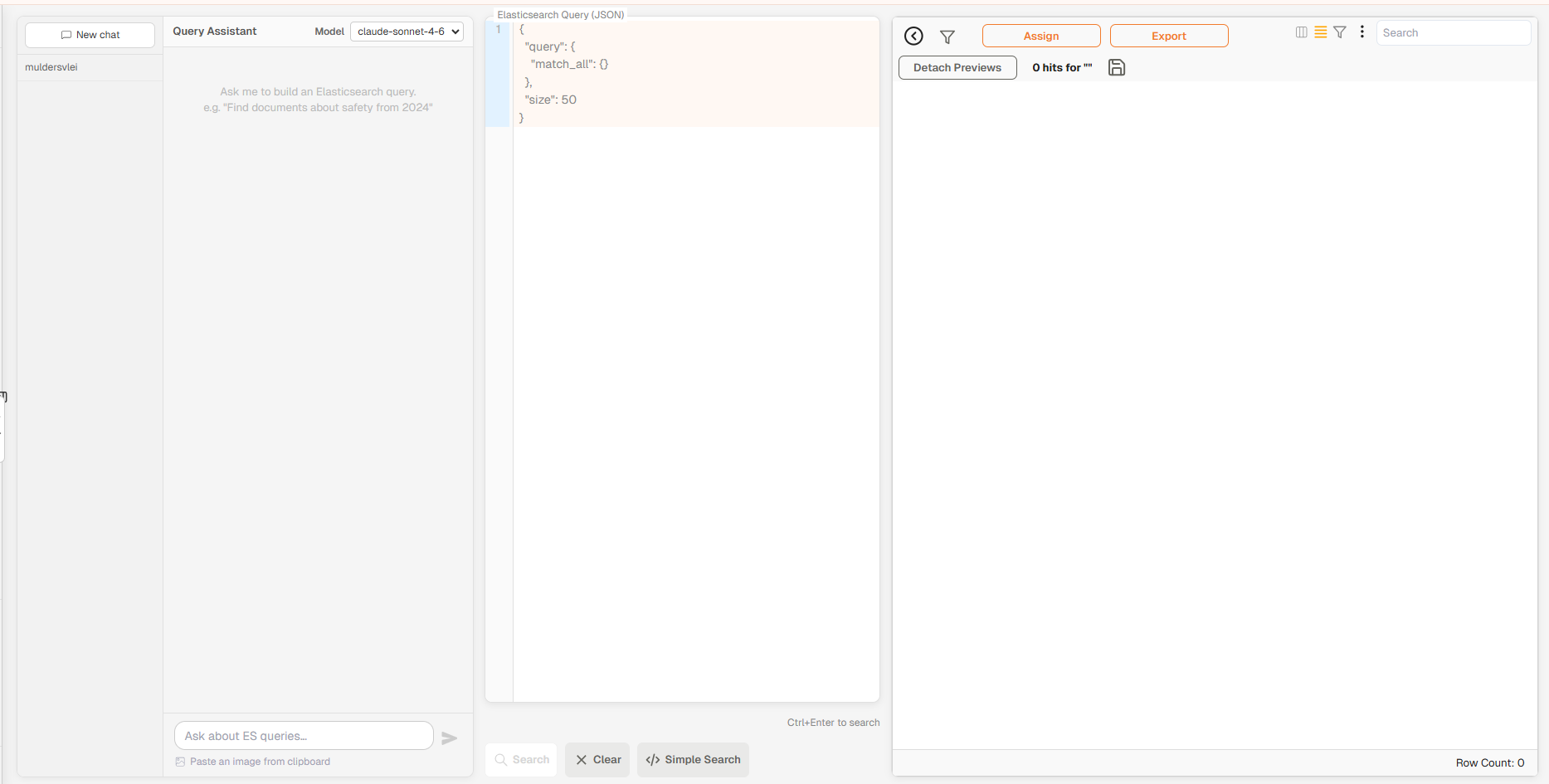
Query Assistant Interface
The Query Assistant interface contains three main sections:
| Section | Description |
|---|---|
| Query Assistant | AI-assisted interface used to generate Elasticsearch queries from natural language prompts. |
| Elasticsearch Query (JSON) | Editor where queries can be viewed and modified in JSON format. |
| Results Preview | Displays documents returned by the query. |
Query Assistant section
The Query Assistant panel allows users to describe a search request using natural language. The system generates an Elasticsearch query based on the natural language, which is inserted into the JSON editor.
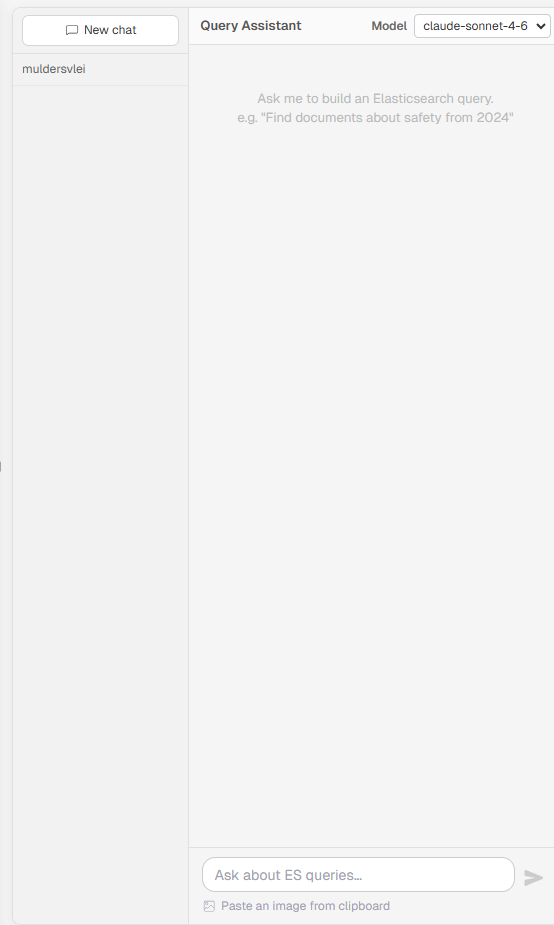
Query Assistant Section
| Field | Description |
|---|---|
| New chat | Starts a new query assistant session. |
| Chat history | Displays previous assistant conversations for the current user. |
| Model | Dropdown used to select the AI model that generates Elasticsearch queries. |
| Prompt input 'Ask about ES queries' | Field where users enter a natural language request describing the search they want to perform. |
| Send | Executes the prompt and generates an Elasticsearch query. |
| Paste image from clipboard | Allows users to paste an image to provide additional context to the assistant. |
Elasticsearch Query (JSON) section
The Elasticsearch Query (JSON) panel displays the active query in Elasticsearch format. Users can manually edit or paste queries in this editor.
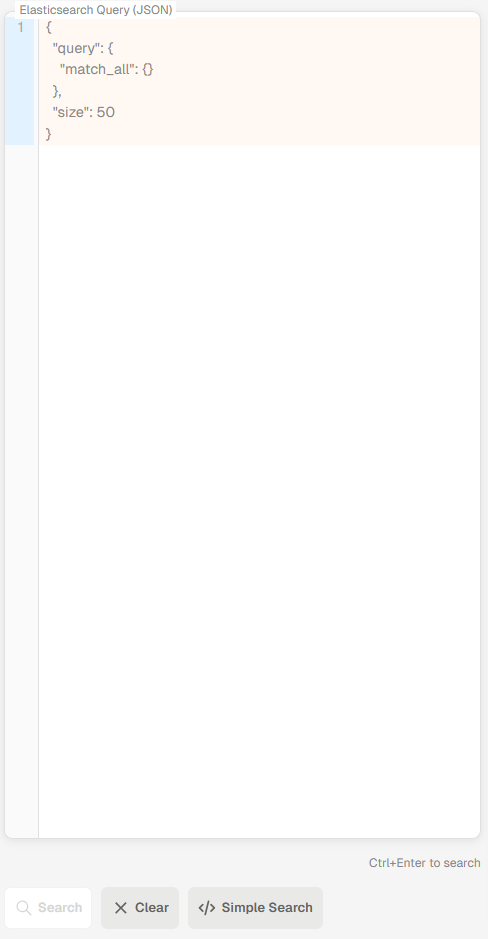
Elasticsearch Query Section
| Field | Description |
|---|---|
| Query editor | Editable code area where users can view and modify the Elasticsearch query. |
| Search | Executes the query against the Elasticsearch index. |
| Clear | Clears the current query from the editor. |
| Simple Search | Switches to the simple search interface for building queries without writing JSON. |
| Ctrl + Enter | Keyboard shortcut used to execute the current query. |
Results Preview section
The Results Preview section displays documents returned by the query.
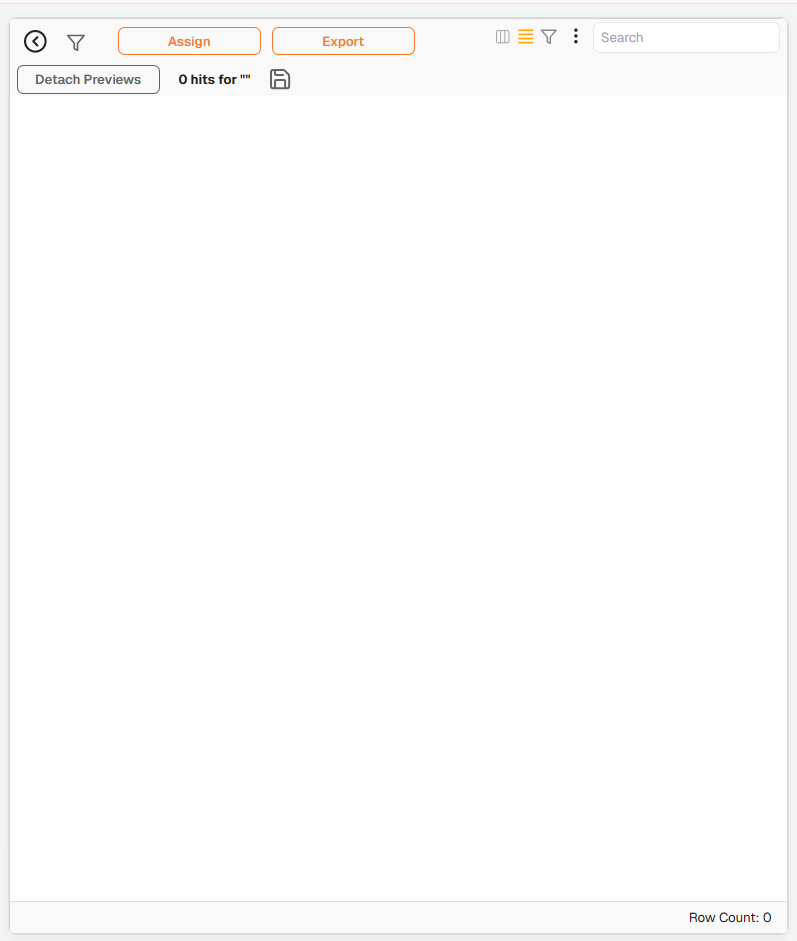
Results Preview Section
| Field | Description |
|---|---|
| Hit Count | The number of matching documents returned by the query. |
| Document Results | Individual documents matching the query. |
| Search Bar | Allows filtering within the preview results. |
For more details regarding Results Preview features, please see the Document Grid user notes.
How to Run an Elasticsearch Query
| Step | Action |
|---|---|
| 1 | Navigate to the Elasticsearch Query Assistant. |
| 2 | Enter a search request in the Prompt input field. |
| 3 | Click Send to generate an Elasticsearch query. |
| 4 | Review or edit the generated query in the Elasticsearch Query (JSON) editor. |
| 5 | Run the query by pressing Ctrl + Enter or clicking Search. |
| 6 | View the returned documents in the Results Preview section. |
Running an Elasticsearch Query