Projects
Projects are managed via New → Projects → Manage Projects. A project is a metadata field on a document — it can be used to categorise documents and to scope access. An organisation can have multiple projects.
Users with the relevant permissions can add, edit, and delete projects.

'Projects' Section: Overview
'Manage Projects'
The Manage Projects register lists all projects currently configured in the database.
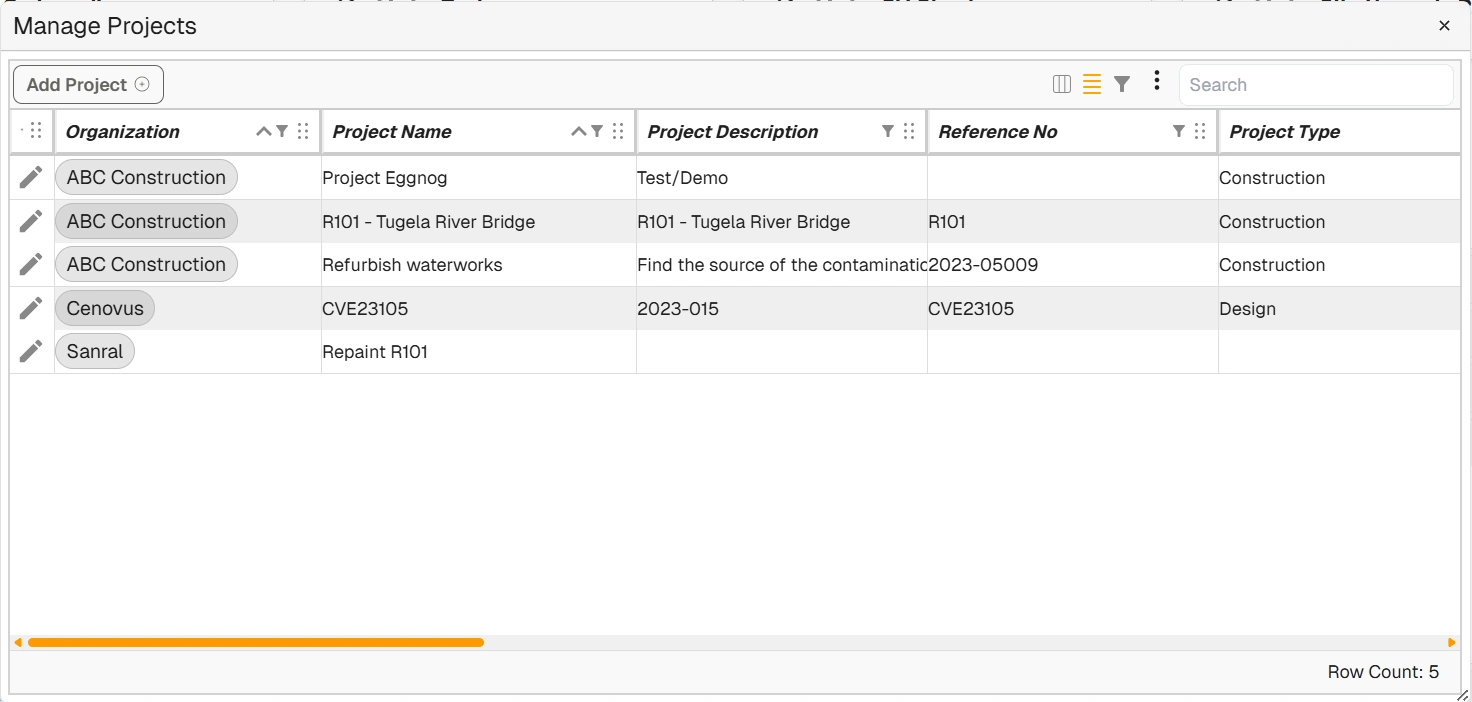
'Manage Projects' Register
| Field | Description |
|---|---|
| Add Project | Opens the 'New Project' dialog to create a new project. |
| Edit (pencil icon) | Opens the project's information for editing. |
| Organization | The name of the organisation associated with the project. |
| Project Name | The name of the project. |
| Project Description | A description of the project. |
| Reference No | The project's reference number. |
| Project Type | The type of project (e.g. Construction, Design). |
| Project Status | The project's current status (e.g. active, cancelled, completed). Status values are configured in Manage Lists. |
| Start Date | The date the project starts. |
| Completed Date | The date the project was completed. |
| Project Owner | The designated project manager or owner. |
| Doc Control | The designated document controller for the project. |
| Project Email | The designated project email address. |
| Parties | Organisations directly involved with the project. |
| Other Parties | An optional field for recording parties indirectly involved with the project. |
| Created Date | The date the project was created in Docwize. |
| Created By | The user who created the project. |
'New Project' Dialog
Selecting Add Project opens the 'New Project' dialog. The project name is the only required field; all other fields are optional.
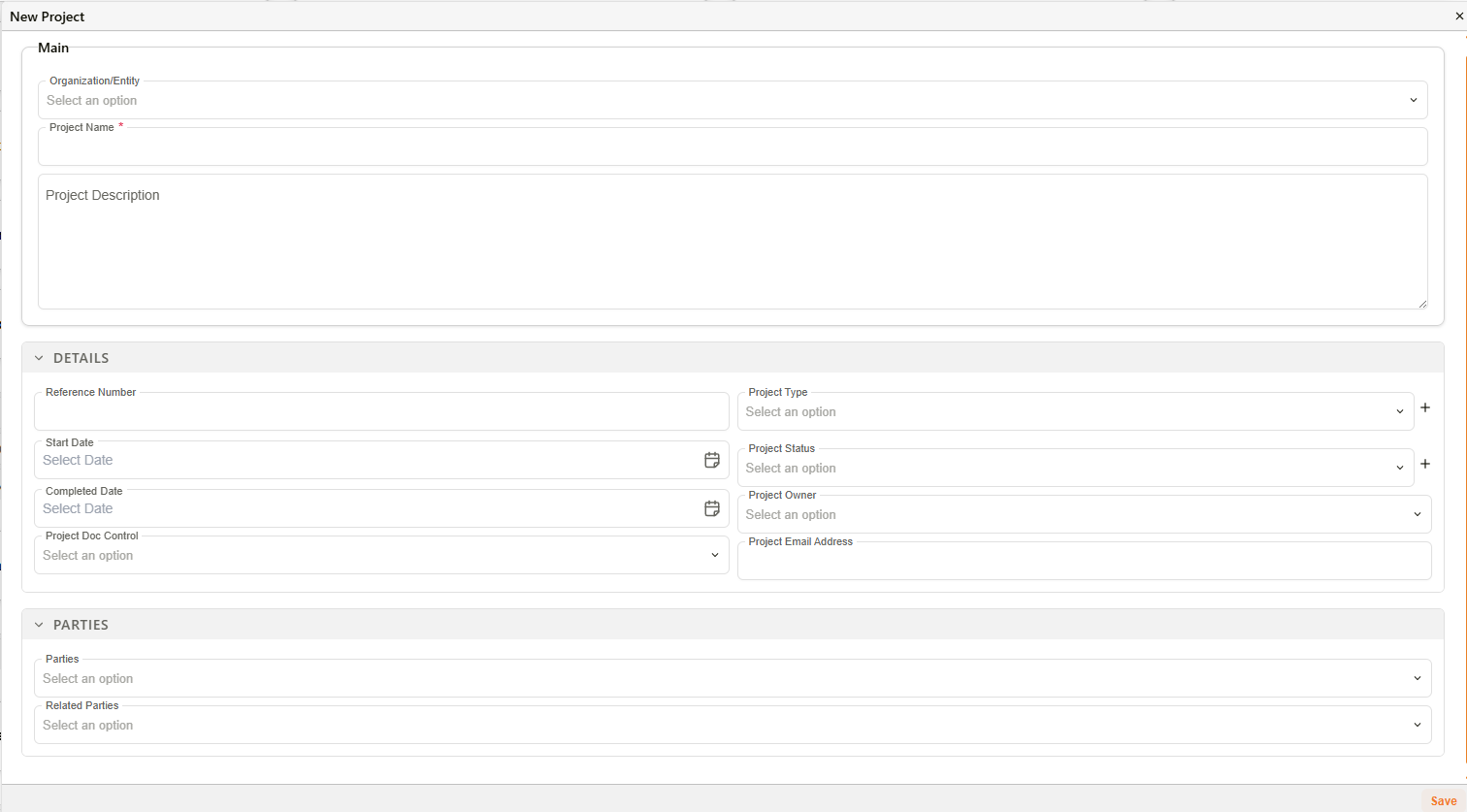
'New Project' Dialog
Editing Project Details
Right-clicking on a project name in the register opens a drop-down menu. Users can copy the cell content, edit the project, delete the project, or navigate to the related organisation's information.
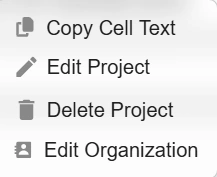
'Right-Click' Menu Options
Related configuration
- Access Control — project security controls which groups can access documents in a project
- Contacts & Organisations — organisations referenced in project records
- Groups — group-level project access is configured in the Groups settings panel