Custom Field Relationships
Custom field templates are typed according to how data relates to documents. Understanding these relationships is necessary before creating a template, because the template type determines how data is stored, displayed, and linked across documents.
Relationship types
Docwize supports four patterns for how custom field data relates to documents.
One-to-one
A one-to-one custom field captures data unique to a single document. The data exists only on that document and is not shared. Examples include a purchase order number, a signatory name, or a contract reference date. The template is displayed as a form.

Example: one-to-one custom field data
One-to-many
A one-to-many custom field captures multiple entries that are unique to a single document. Examples include invoice line items, where each line has its own fields for description, quantity, and unit price. The template is displayed as a grid, allowing multiple rows to be added per document.
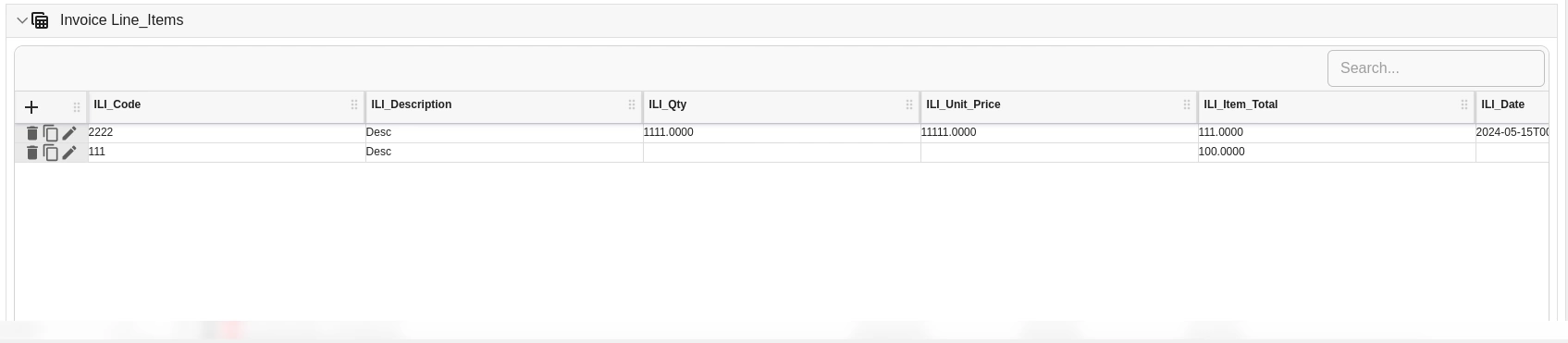
Example: one-to-many custom field data
Many-to-many
A many-to-many custom field links data that is shared across multiple documents. The data is stored in a separate register table and linked to each relevant document rather than duplicated. Examples include a shared asset register linked to multiple inspection reports, or a litigation claims register linked to multiple invoices.
The template type for many-to-many relationships is Grid Link. The capturing interface is a grid where rows can be linked to the current document by selecting them in the Add/Remove/Manage Rows dialog.

Example: many-to-many custom field data
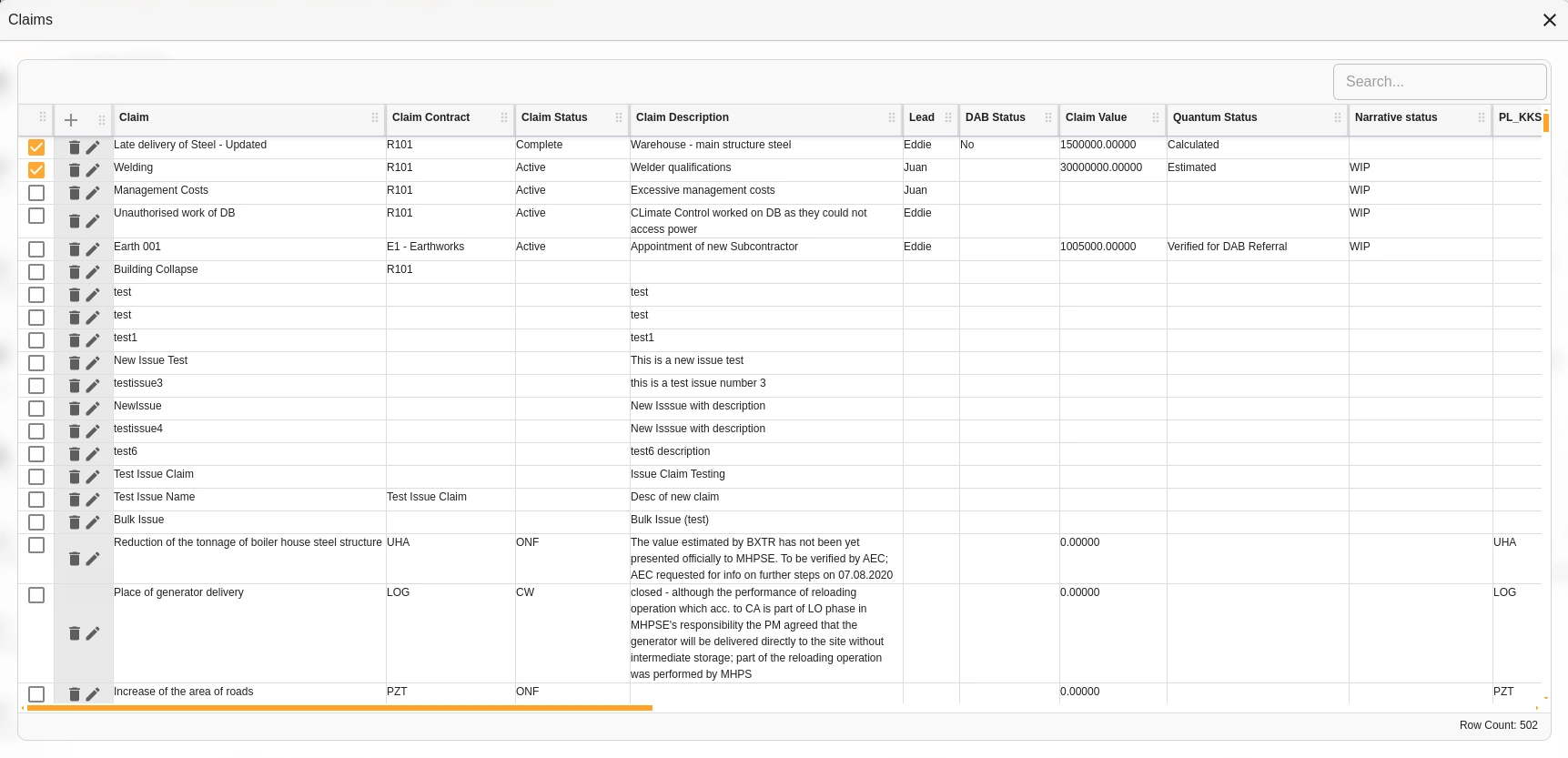
Example: many-to-many linking dialog
Custom field-to-custom field
Custom fields can reference other custom fields directly using the CustomFieldReference field type. This is used when data from one template needs to be linked to rows in another template — for example, matching purchase order line items to invoice line items for AP 3-way matching.
Consolidated example
The following example shows a single invoice document with all three relationship types present:
- Invoice Detail (one-to-one): captures single values unique to this invoice, such as the invoice number and date.
- Invoice Line Items (one-to-many): captures multiple line item rows, each with its own description, quantity, and amount fields.
- Claims (many-to-many): links the invoice to rows in a shared litigation claims register.
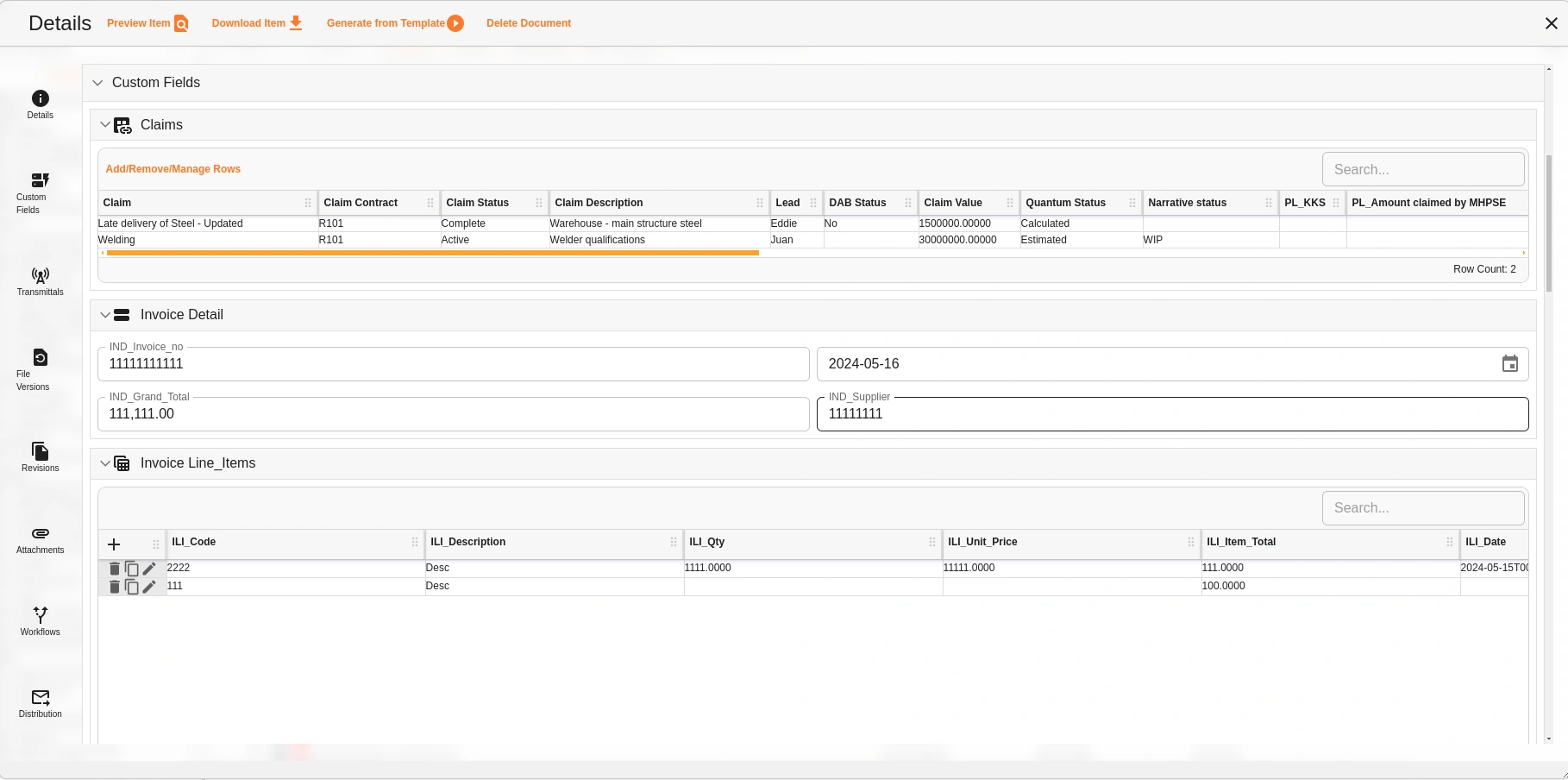
Example: document with three custom field relationship types
Related configuration
- Custom Fields overview — introduction to the custom fields configuration sequence
- Custom Field Templates — create and configure templates using the relationship types described here
- Manage Registers — view and populate Grid Link (many-to-many) templates