Custom Fields
The Custom Fields section in Document Details holds the extra information your organisation records for a type of document, beyond the standard document fields. For example, a delivery note might have a grid of the goods received, and a contract a list of supplier contacts. Use it whenever you need to fill in or check that information for a document.
For information on how custom field templates are created and managed, see the Custom Fields configuration section.
What you can do in Custom Fields
- See the custom field templates that apply to a document
- Fill in a form template and save it with the document's details
- Add, edit, duplicate and delete rows in a grid template
- Edit a grid cell in place, and undo a change
The Custom Fields section
To open it, open the document's Document details and select Custom Fields in the left navigation. See Document Details.
The section lists the custom field templates linked to the document's Type (or its Status), in alphabetical order, so two documents of the same type show the same templates. Each template has its own panel, which you can collapse with the arrow beside its name.
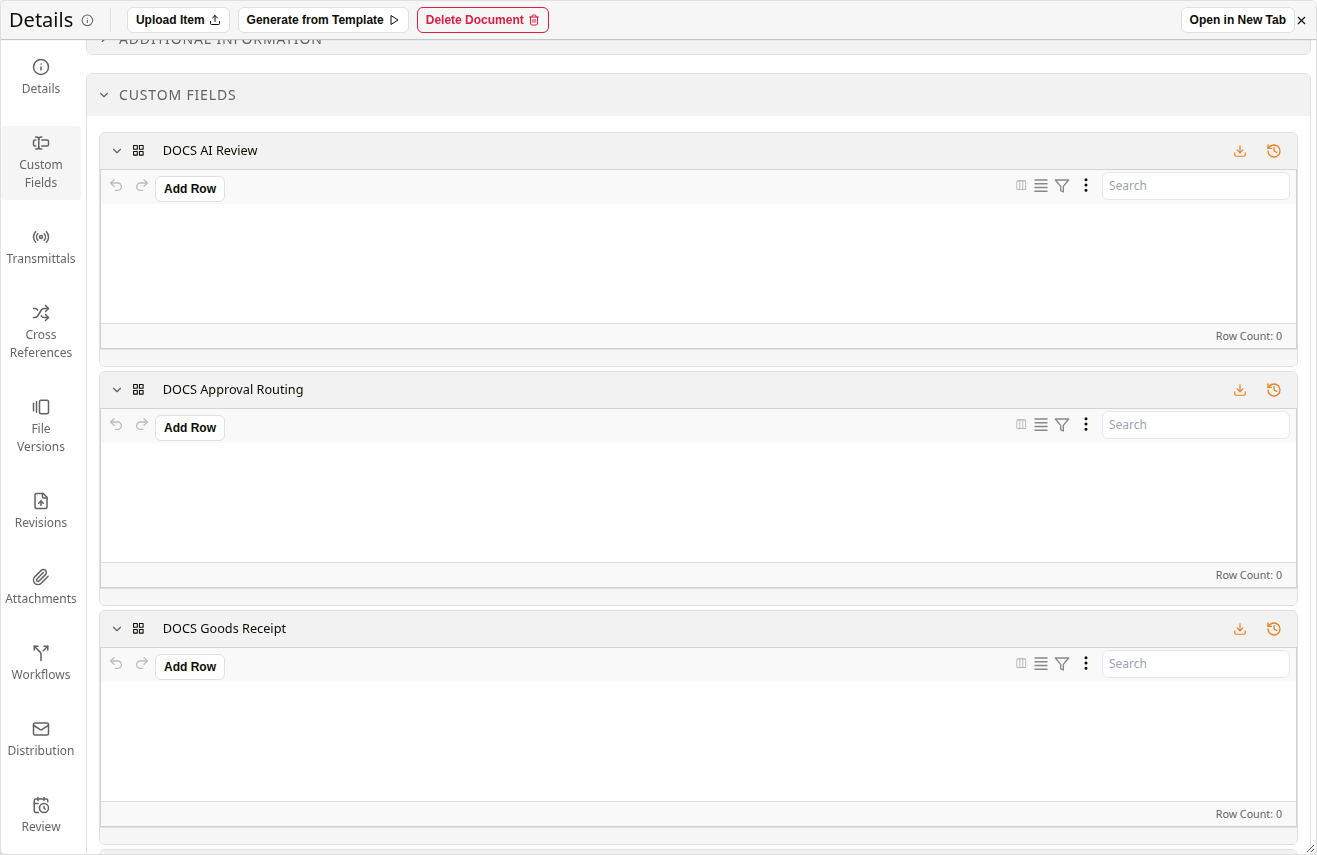
Custom Fields section in Document Details
A template is shown in one of three ways:
| Type | Description |
|---|---|
| Form | A set of labelled fields filled in once for the document, such as the details of a review. |
| Grid | A table with one row per entry, such as each supplier contact or each item received. |
| Grid Link | A register of rows kept outside the document. The rows selected in it are the ones linked to this document. |
Forms
A form is filled in directly in the section, like the document's own fields. As soon as you change a field, Save Changes appears in the Document Details toolbar, and it saves the form together with any other changes to the document.

A form template
Grids
A grid keeps several entries for the document, one per row.
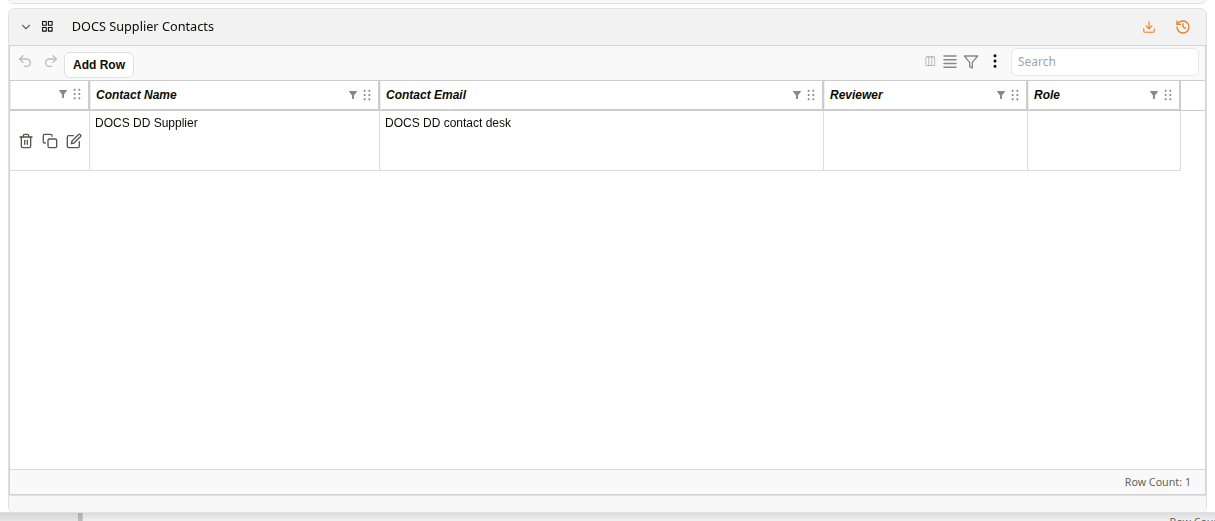
A grid template
| Control | Description |
|---|---|
| Undo | Undo reverts the last change you saved in the grid. |
| Add Row | Opens a form for a new row. See How to add a row to a grid. |
| Search | Filters the grid rows by a search term. |
| Row actions | The icons at the start of each row delete the row, duplicate it, or open it in a form to edit it. Deleting and duplicating ask you to confirm with Yes. |
| Header menu | The download icon in the template's header opens a menu with Add Row, Export as CSV and Preview Chart. |
| Row Count | Shows the total number of rows in the grid. |
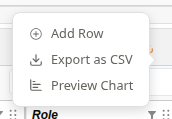
The header menu of a grid
How to fill in a form
| Step | Description |
|---|---|
| 1 | Open the document's Document details and select Custom Fields. |
| 2 | Fill in the form's fields. Save Changes appears in the toolbar. |
| 3 | Click Save Changes. The form is saved with the document. |
How to add a row to a grid
| Step | Description |
|---|---|
| 1 | Open the document's Document details and select Custom Fields. |
| 2 | In the grid, click Add Row. A form opens with the template's fields. |
| 3 | Fill in the fields. |
| 4 | Click Save Changes. The new row appears in the grid. |
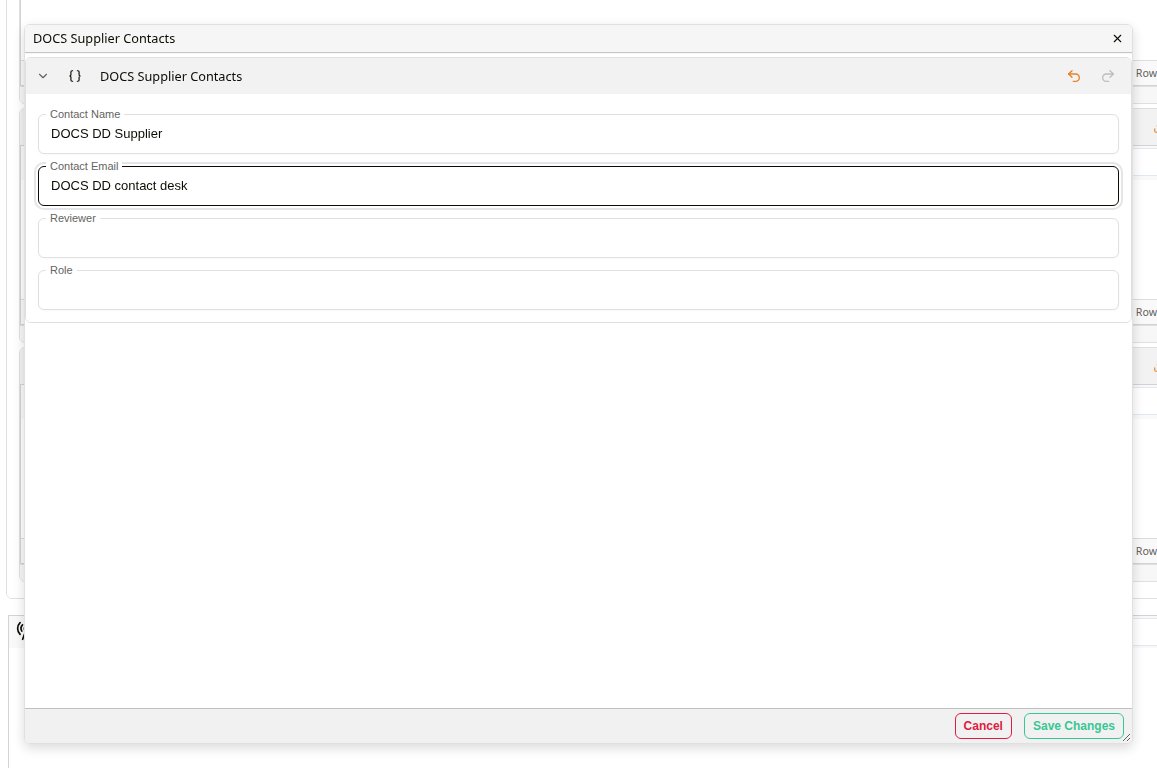
Adding a row
How to edit a grid cell in place
Editing in place is the quickest way to correct one value, for example a misspelt name, without opening the row's form.
| Step | Description |
|---|---|
| 1 | Double-click the cell. It becomes an editable field holding its current value. |
| 2 | Type the new value. |
| 3 | Press Enter to save it. To leave the cell unchanged, press Escape instead. |
| 4 | If you change your mind after saving, click Undo in the grid's toolbar. The previous value comes back. |