Recipient Nodes
Recipient nodes decide who receives an action request. Most are connected to the Users input of an Action Request node. Generate User, Workflow Runtime Input and the two calculation nodes are steps of their own, placed before the Action Request they feed.
| Node | Palette category | Purpose |
|---|---|---|
| Users, user groups and distribution groups | User & Role Management | Send the action request to named people or groups. |
| Initiator | User & Role Management | Send it to whoever started the workflow. |
| Custom Field Email | User & Role Management | Send it to users whose email is in a custom field. |
| Custom Field User | User & Role Management | Send it to users named in a custom field, creating new users if needed. |
| Generate User Node | User & Role Management | Create a user from a custom field email before the action request. |
| Workflow Runtime Input | Action Request Configuration | Pause and let someone choose the recipients. |
| Calculate Routing | System & Flow Control | Pick recipients from an approval matrix. |
| Custom Field Input Calculation | Tools & Tasks | Pick recipients from a custom field grid on the document. |
How recipients combine
An Action Request node can take several recipient nodes. Their recipients are combined, and each person receives one action request, however many sources name them. Group membership is read when the step runs, not when the template is saved.
The Configure dialog on an Action Request node can hold the same recipients without canvas nodes: Assignee, Assign to Initiator, Custom Field Email and Custom Field User. See Action Request Nodes.
If no recipient resolves when the step runs, for example an empty group or an empty custom field, the step fails with a message naming the node and asking you to connect a recipient, or check that the people chosen when the workflow started still exist.
Users, user groups and distribution groups
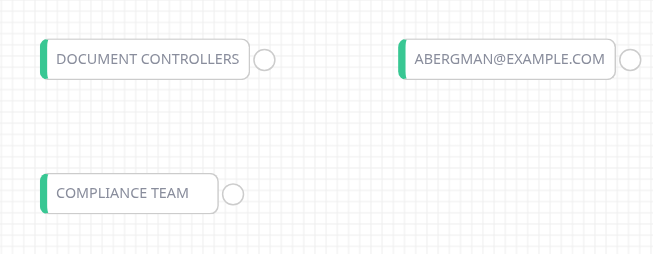
A user, a user group and a distribution group
User & Role Management lists every user by email, every user group as [User Group] name and every active distribution group as [Distribution Group] name. Search the palette to find one. The card shows only the name, so a user group and a distribution group with the same name look alike.
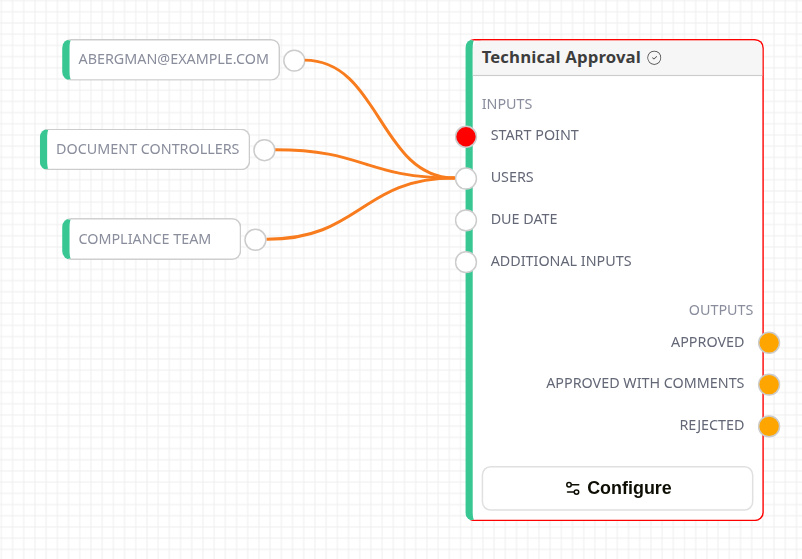
Recipients connected to the Users input
Connect each card to the Users input. The input stops showing red once a recipient is connected. The node itself stays red until Start Point is connected too.
- A user group sends one action request to each member.
- A distribution group sends one to each internal member. Use distribution groups of internal members for action requests: an external contact cannot open or answer one.
Initiator
Initiator node
Sends the action request to the person who started the workflow. It is commonly used on a failure route, so the problem lands in the starter's inbox.
Avoid it in Periodic templates. A scheduled workflow has no real starter, so the action request goes to a system account.
Custom Field Email
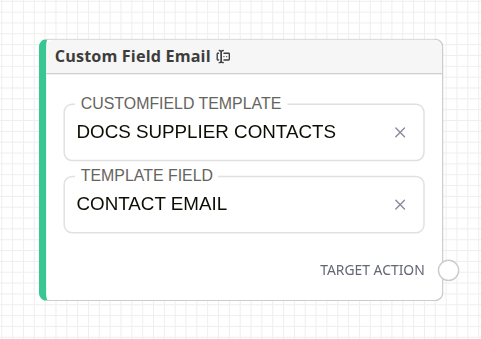
Custom Field Email node
| Setting | Description |
|---|---|
| Customfield Template | The custom field template holding the addresses. |
| Template Field | The field with the email addresses. Every field of the template is offered, so pick one that holds email text. |
Every row of the field on the workflow document is read. An address that belongs to a Docwize user makes that user a recipient. Any other address is skipped without an error.
Always set both fields. An unconfigured node makes the action request step fail when it runs.
Custom Field User
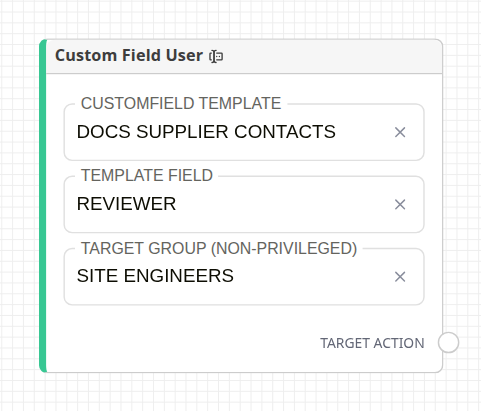
Custom Field User node
| Setting | Description |
|---|---|
| Customfield Template | The custom field template holding the people. |
| Template Field | The field with user IDs or email addresses. |
| Target Group (Non-Privileged) | Optional. When set, an address with no Docwize user becomes a new user in this group, and they are sent an invitation. |
Each value can be a user ID or an email address. Without a target group, unknown addresses are skipped. Connect it to an Action Request node's Users input, or the equivalent input on Email Notification, Consolidated Notification or Workflow Runtime Input.
Generate User Node
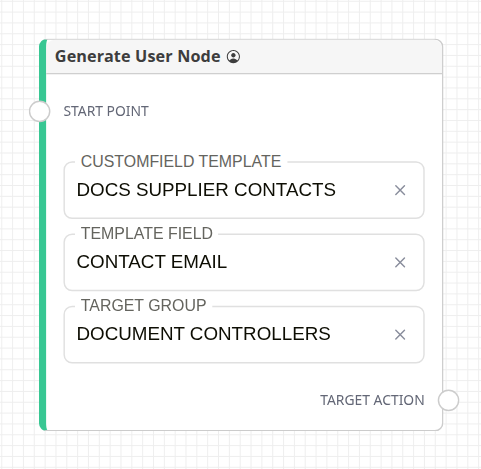
Generate User node
A step placed immediately before an Action Request node. It reads the email in the first row of a custom field and makes that person a recipient of the Action Request nodes connected to Target Action.
| Setting | Description |
|---|---|
| Customfield Template / Template Field | Where the email address is. |
| Target Group | The group a new user joins. All groups are offered, including privileged ones. |
- An existing user with that email is used as is, and is not added to the group.
- An address with no user becomes a new user in Target Group, and they are sent an invitation.
- The node shows Configuration Error until all three settings are chosen. If the row's field is empty when the step runs, it fails with a readable reason instead of stalling.
Workflow Runtime Input
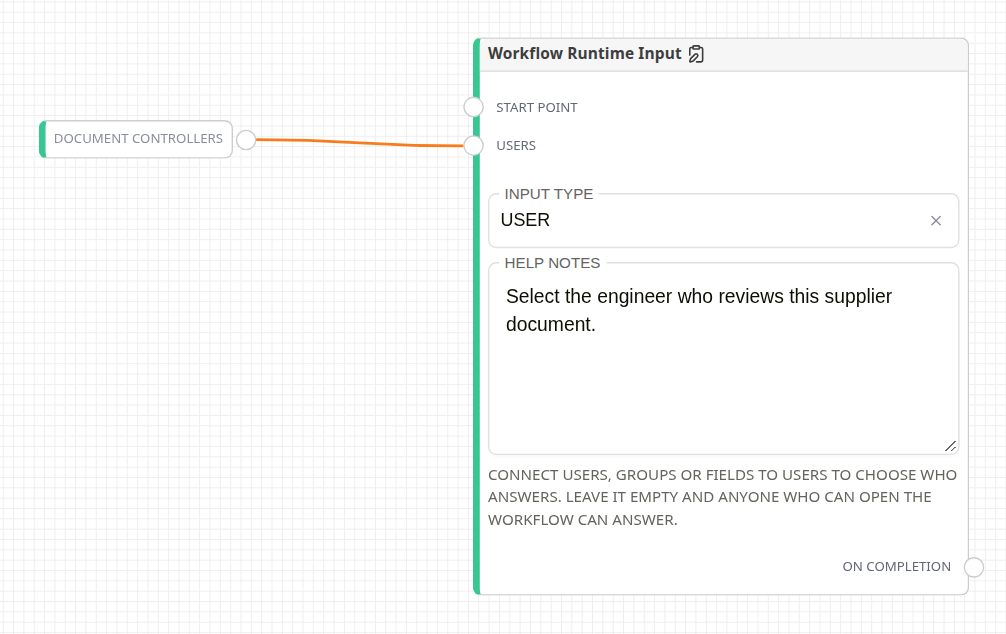
Workflow Runtime Input node
Pauses the workflow and asks someone to answer, then continues from On Completion. The request appears in the workflow's actions as Make Selection.
| Setting | Description |
|---|---|
| Input Type | User, Group or Date and time — what the answer becomes for the nodes connected to On Completion: a recipient, a group's members, or an Action Request's due date. |
| Help Notes | Shown to the person answering. |
| Users | Optional. Connect users, groups or recipient fields here to choose who may answer. Left unconnected, anyone who can open the workflow can answer. |
A user with the Workflows - Revoke Any permission can always answer, in addition to whoever Users names.
Calculate Routing
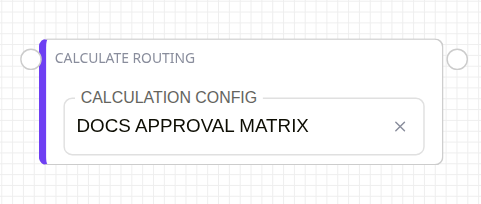
Calculate Routing node
Looks up recipients in an approval matrix, using values from a custom field on the document, and passes them to later Action Request nodes. Calculation Config names the matrix to use. The node shows Configuration Error until one is chosen.
Calculation configs have no configuration screen. Docwize sets them up in the tenant database.
Custom Field Input Calculation
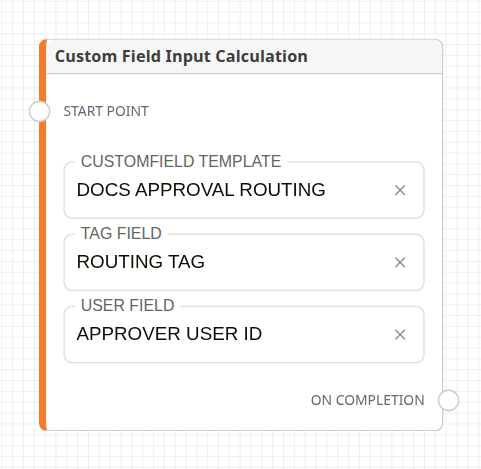
Custom Field Input Calculation node
Assigns recipients from a custom field grid on the workflow document. It writes no field values.
| Setting | Description |
|---|---|
| Customfield Template | The grid that holds the routing rows. |
| Tag Field | The field with the routing tag in each row. |
| User Field | The field with the Docwize user ID for that row. |
For each row, the user becomes a recipient of every action request input whose text contains the row's tag. That input is normally a Workflow Initiation Input of type Calculated Input, whose Description holds the tag. Place this node before the Action Request nodes it feeds, and use distinctive tags so a tag doesn't match other text in the template.
Related configuration
- Action Request Nodes: the Users input and the Configure dialog
- Workflow Nodes: the canvas and palette