Workflow Nodes
A workflow template is a set of nodes on the template canvas, joined by connections. Each node is one step in the workflow, or a setting for the step it is connected to. This page covers the canvas and how nodes are added. The node pages describe every node in detail.
Node pages
| Page | What the nodes do |
|---|---|
| Action Request Nodes | Send a task to people, and set its due date, the fields it captures and its attachments. |
| Recipient Nodes | Decide who receives an action request. |
| Flow Control Nodes | Branch, wait, run sub-workflows and end the workflow. |
| Document Processing Nodes | OCR, index, translate, extract, split and convert the workflow document. |
| Document Update Nodes | Change the document's details, status and custom fields, or generate documents. |
| Notification and Distribution Nodes | Email people and send documents out. |
| Data Nodes | Import spreadsheet, CSV and API data into custom fields, and capture scans. |
| Integration Nodes | Call external APIs, GitHub, Forge functions and Oliver agents. |
The template canvas
Create Template in the template register opens an empty canvas with a single Start Point node.
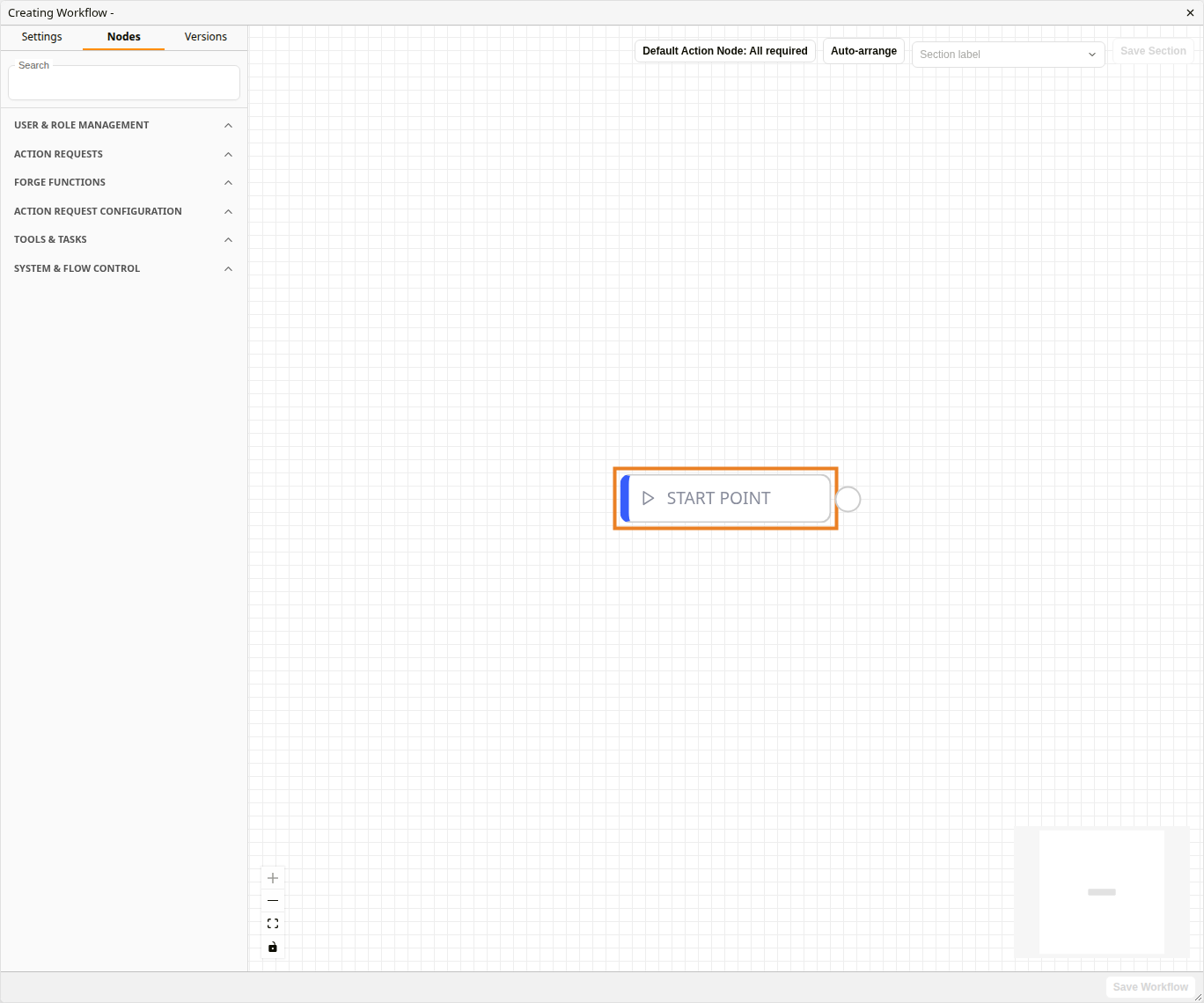
A new template
| Area | Purpose |
|---|---|
| Settings tab | Template name, workflow type and project. See Building Workflow Templates. |
| Nodes tab | The node palette. |
| Versions tab | Earlier saved versions of the template. |
| Default Action Node | The node inserted when one Action Request node is connected straight to another. See Flow Control Nodes. |
| Section label / Save Section | Group nodes into labelled sections. |
| Canvas controls | Zoom in, zoom out, fit view and lock, bottom left. A minimap sits bottom right. |
| Save Workflow | Saves the template as a new version. |
Start node
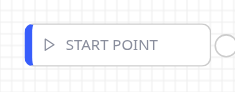
Start node
Every template begins at its Start Point node. Connect its output to the first step of the workflow. The Start node has no right-click menu, is not in the palette and can't be deleted.
Adding nodes
Nodes palette
Nodes palette
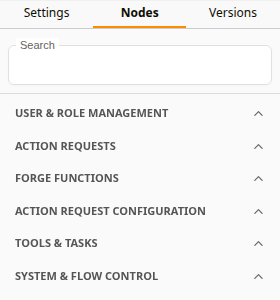
Open the Nodes tab and drag a node onto the canvas. The palette has six categories, collapsed until opened:
| Category | Contains |
|---|---|
| User & Role Management | One entry per user, user group and distribution group, plus the other recipient nodes. |
| Action Requests | One entry per action request. |
| Forge Functions | One entry per uploaded Forge function. |
| Action Request Configuration | Settings nodes for action requests: due date, captures, inputs, attachments and the legacy review settings. |
| Tools & Tasks | Processing, integration and document nodes. |
| System & Flow Control | Flow control, distribution and notification nodes. |
The categories group nodes differently from these node pages. Each node page gives the palette category of every node it covers.
Searching the palette
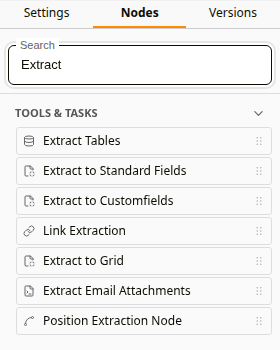
Searching for "Extract"
Type in Search to list the nodes whose name matches. Only the categories with a match are shown, already open.
Right-click menu
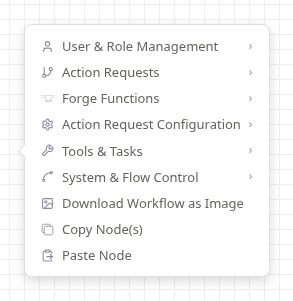
Canvas right-click menu
Right-click an empty part of the canvas to add a node where the pointer is. The menu has the same categories as the palette, in the same order, with the same nodes in each. User & Role Management also has User, User Groups and Distribution Groups, and Action Requests starts with Create New Action Request. The menu also has Download Workflow as Image, Copy Node(s) and Paste Node.
Working with nodes
Connecting nodes
Inputs are on the left of a node and outputs on the right. Drag from an output to an input to connect two nodes. A node with several outputs, such as an action request's replies or a Condition node's True and False, sends the workflow down whichever output applies.
Node menu
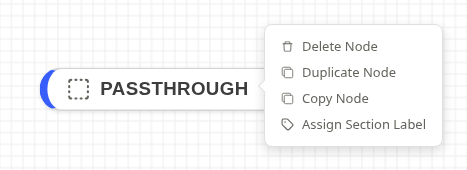
Node right-click menu
Right-click a node for Delete Node, Duplicate Node, Copy Node and Assign Section Label. Delete Node removes the node and its connections. Duplicate Node places a copy below and to the right of the original. A selected node can also be deleted with Backspace.
Configuration Error
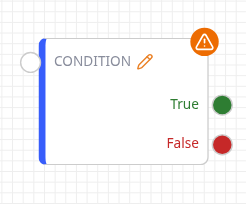
Configuration Error badge
An orange warning badge means a required setting is missing. Hover it to see what to set.
Related configuration
- Building Workflow Templates: the template register, versions and sections
- Action Requests: the action requests that appear in the palette
- Docwize Forge: uploading the functions that appear under Forge Functions
- Workflows overview