GitHub コネクター
GitHub コネクターは、GitHub リポジトリを Docwize にリンクし、選択したブランチのファイルを Docwize のフォルダ構造に同期します。各コネクターは1つのリポジトリにマッピングされ、異なるリポジトリや GitHub アカウントにわたって複数のコネクターを設定できます。
この機能を設定するユーザー
Manage Connectors 権限を持つユーザー。New > Third Party Connectors > GitHub Connectors からアクセスできます。
GitHub コネクターパネル
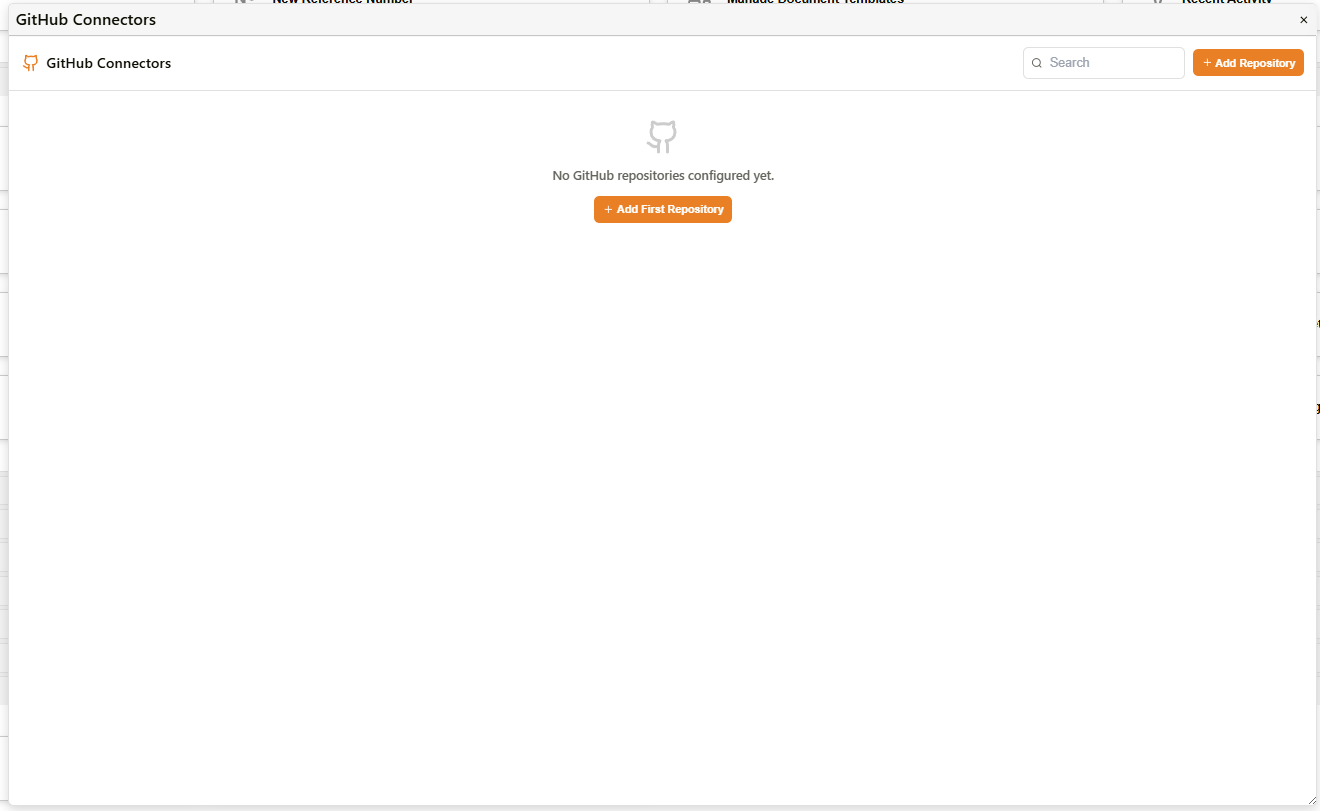
GitHub コネクターパネル
| コントロール | 説明 |
|---|---|
| Search | 設定済みリポジトリの一覧を名前でフィルタリングします。 |
| + Add Repository | 新しいリポジトリコネクターを設定するための Add Repository ダイアログを開きます。 |
| + Add First Repository | リポジトリが1件も設定されていない場合に表示されます。同じ Add Repository ダイアログを開きます。 |
Add Repository
+ Add Repository または + Add First Repository を選択すると、Add Repository ダイアログが開きます。
Connect GitHub Account
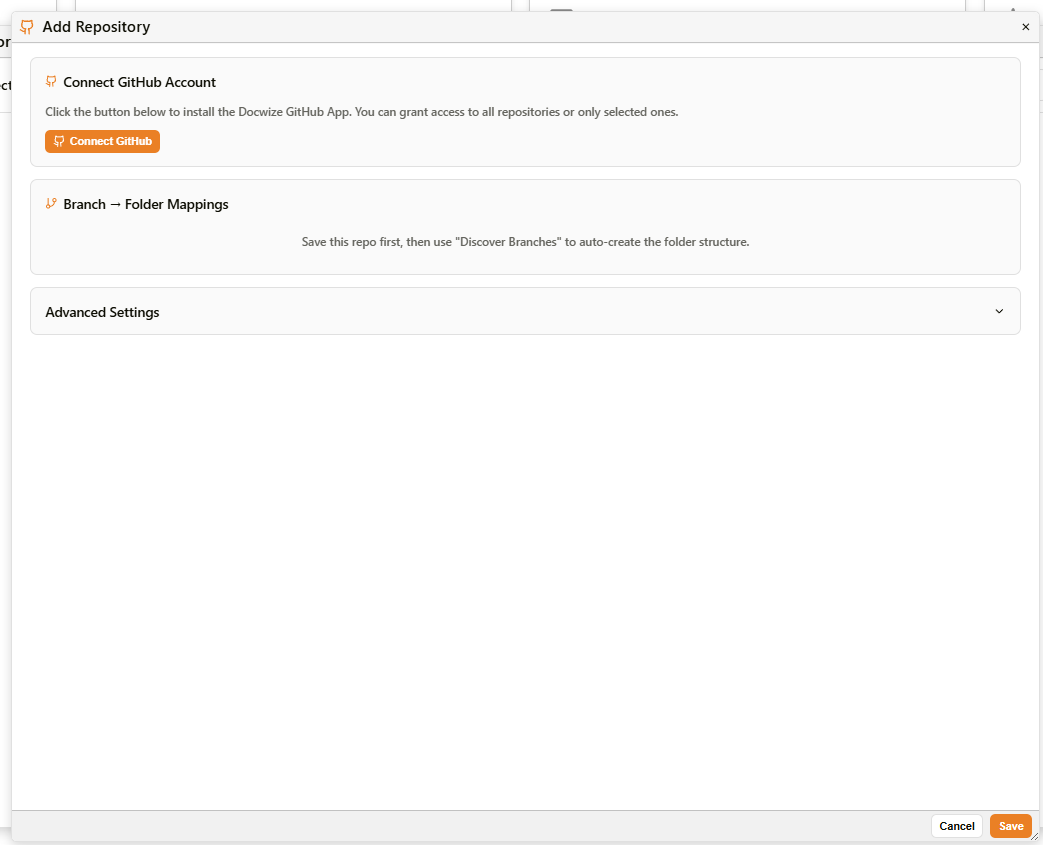
Add Repository ダイアログ
| 要素 | 説明 |
|---|---|
| GitHub account ドロップダウン | 組織にすでに少なくとも1つの GitHub アカウントが接続されている場合に表示されます。既存のアカウントを選択すると、このリポジトリにその接続を使用します。 |
| Connect a different account | 既存のアカウントが選択されている場合に、ドロップダウンと並んで表示されます。これを使用して、別の GitHub アカウントを新たに認証できます。 |
| Connect GitHub ボタン | 利用可能な既存のアカウントがない場合に表示されます。GitHub アカウントに Docwize GitHub App をインストールします。GitHub の認可ステップで、すべてのリポジトリ、または選択したリポジトリのみへのアクセスを許可できます。 |
Branch → Folder Mappings
GitHub のブランチを Docwize のフォルダの送信先にマッピングします。このセクションは、リポジトリが初めて保存されるまで無効です。
保存後は、Discover Branches を使用して、リポジトリのブランチ一覧に基づいてフォルダ構造を自動作成できます。
Connected accounts
リポジトリは、それが属する GitHub アカウント(インストール)ごとにグループ化されます。複数の GitHub アカウントが接続されている場合、それぞれが独自のリポジトリ群を持つグループとして表示されます。
| 要素 | 説明 |
|---|---|
| インストールヘッダー(例:「GitHub installation #142315547」) | 接続された GitHub App のインストールを識別します。バッジには、その配下に設定されているリポジトリの数が表示されます。 |
| Manage on GitHub | インストールの設定ページを GitHub 上で直接開きます(github.com/settings/installations/{id})。ここでリポジトリへのアクセスを変更できます。 |
| Disconnect account | GitHub アカウント(インストール)全体の接続を解除し、その配下に設定されているすべてのリポジトリへのアクセスを削除します。1つのリポジトリだけではありません。 |

Connected accounts
Advanced Settings
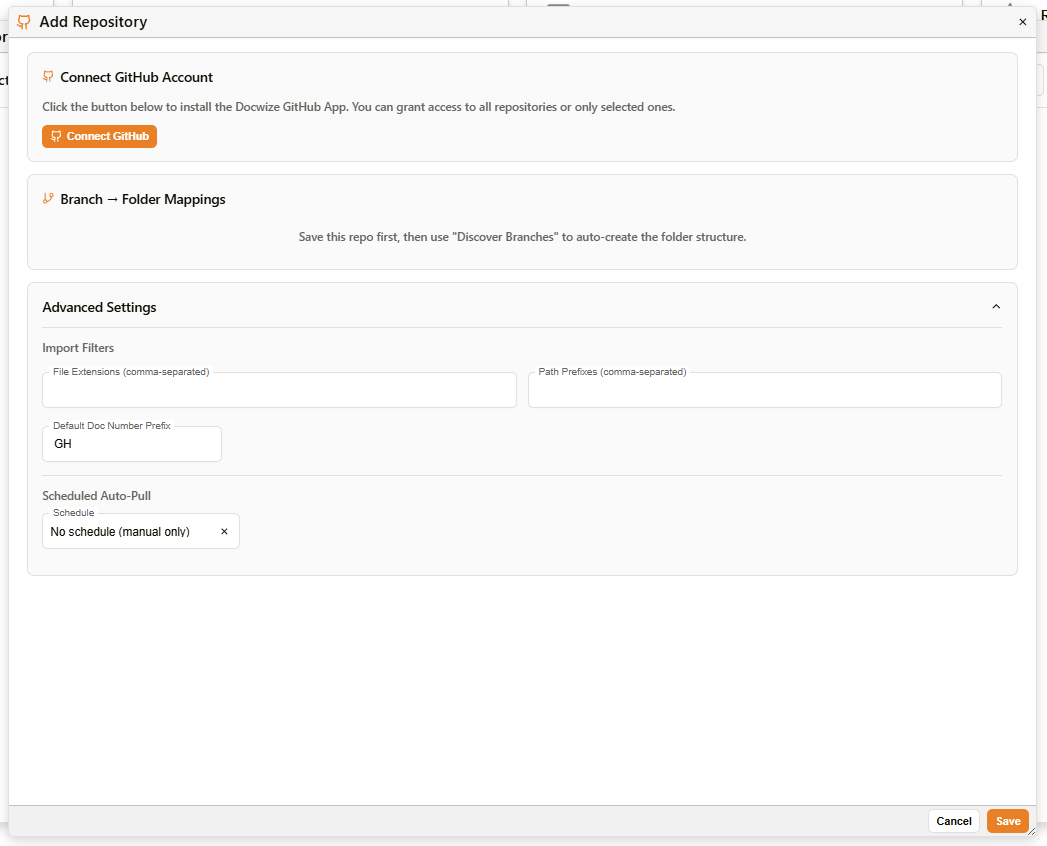
Add Repository — Advanced Settings
Import Filters
| フィールド | 説明 |
|---|---|
| File Extensions (comma-separated) | 同期の対象を、指定した拡張子のファイルに限定します。すべてのファイルタイプを同期する場合は空欄のままにしてください。 |
| Path Prefixes (comma-separated) | 同期の対象を、リポジトリ内の指定したパスプレフィックス配下のファイルに限定します。空欄のままにすると、リポジトリのルートから同期します。 |
Default Doc Number Prefix
| フィールド | 説明 |
|---|---|
| Default Doc Number Prefix | このリポジトリから同期されたファイルに対して生成されるドキュメント番号に適用されるプレフィックスです。デフォルトは GH です。 |
Scheduled Auto-Pull
| フィールド | 説明 |
|---|---|
| Schedule | Docwize が GitHub から更新を自動的に取得する頻度を設定します。デフォルトは No schedule (manual only) で、手動での同期トリガーが必要になります。 |
トラブルシューティング
| 問題 | 詳細 |
|---|---|
| Branch → Folder Mappings が無効になっている | まずリポジトリコネクターを保存してください。初回保存後にこのセクションが有効になり、Discover Branches を使用できるようになります。 |
| 接続後にリポジトリが表示されない | GitHub の認可ステップで、Docwize GitHub App にそのリポジトリへのアクセスが許可されたことを確認してください。リポジトリへのアクセスは、GitHub App の設定でいつでも更新できます。 |
関連する設定
- 権限 — Manage Connectors 権限がこの領域へのアクセスを制御します