Activity Monitor
The Activity Monitor provides a log of all activity in the database, showing which users performed what actions and when. Users use it to audit changes to security settings, documents, workflows, and other system areas.
Who configures this
Users with access to the Admin Console. The Activity Monitor is accessible from Admin Console > Activity Monitor.
Activity Monitor
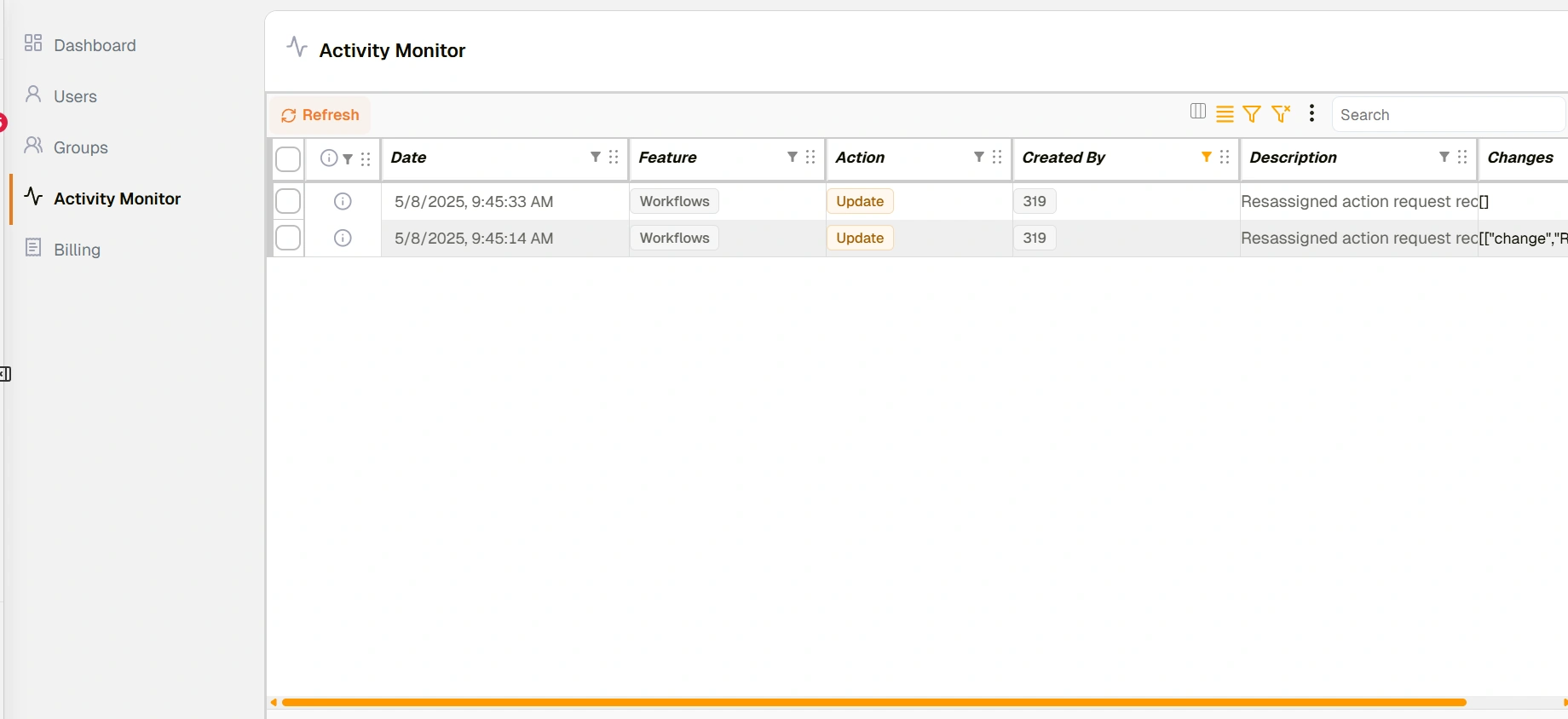
Activity Monitor
Toolbar
| Control | Description |
|---|---|
| Refresh | Reloads the activity list to show the latest entries. |
| Toggle Density | Switches between display density layouts for the activity list. |
| Filter | Applies column-level filters to narrow the activity list. |
| ⋮ (3-dots menu) | Additional options for the activity list. |
| Search | Searches across visible activity entries by text. |
Activity list
Each row in the activity list represents one recorded event. All columns support column-level filtering and reordering.
| Column | Description |
|---|---|
| Checkbox | Selects one or more rows for bulk actions. |
| Info (ⓘ icon) | Opens the full detail view for that activity entry, including the complete description and changes data. |
| Date | The date and time the activity occurred. |
| Feature | The Docwize feature area the activity relates to — for example, Security or Workflows. Displayed as a pill badge. |
| Action | The type of activity: Create (green), Update (orange), or Delete (red). |
| Created By | The user who performed the activity. |
| Description | A summary of the activity. May be truncated — click ⓘ for the full text. |
| Changes | The specific data changes made, where available. May be truncated — click ⓘ for the full data. |
The Row Count indicator at the bottom of the view shows the total number of entries loaded.
Troubleshooting
| Risk | Detail |
|---|---|
| Older entries not visible | The activity list loads up to 1,000 entries by default. Use column filters or the Search field to narrow results and surface older entries. |
| Description or Changes text is cut off | Long entries are truncated in the list view. Click the ⓘ icon on the row to open the full detail view. |
| Activity not appearing for a recent change | Click Refresh to reload the list. The monitor does not update automatically. |
Related configuration
- Admin Console — overview of all Admin Console areas
- Users — manage user accounts and access
- Groups — manage groups and group membership
- Permissions — the permissions visible in activity log entries