Tags
Tags work like coloured labels on your documents: they mark documents that belong together, for example because they share a topic or a stage of work. A document can carry many tags, and tags can sit under other tags. The Tags tab of Explorer lists the tags you can see, so you can open a tag and look through every document that carries it.
What you can do in Tags
- Find a tag by name
- Open a tag to see the documents that carry it, including those under its child tags
- Work with those documents: preview, assign or export them
- Open Tag Management, if you are allowed to manage tags
The Tags tab
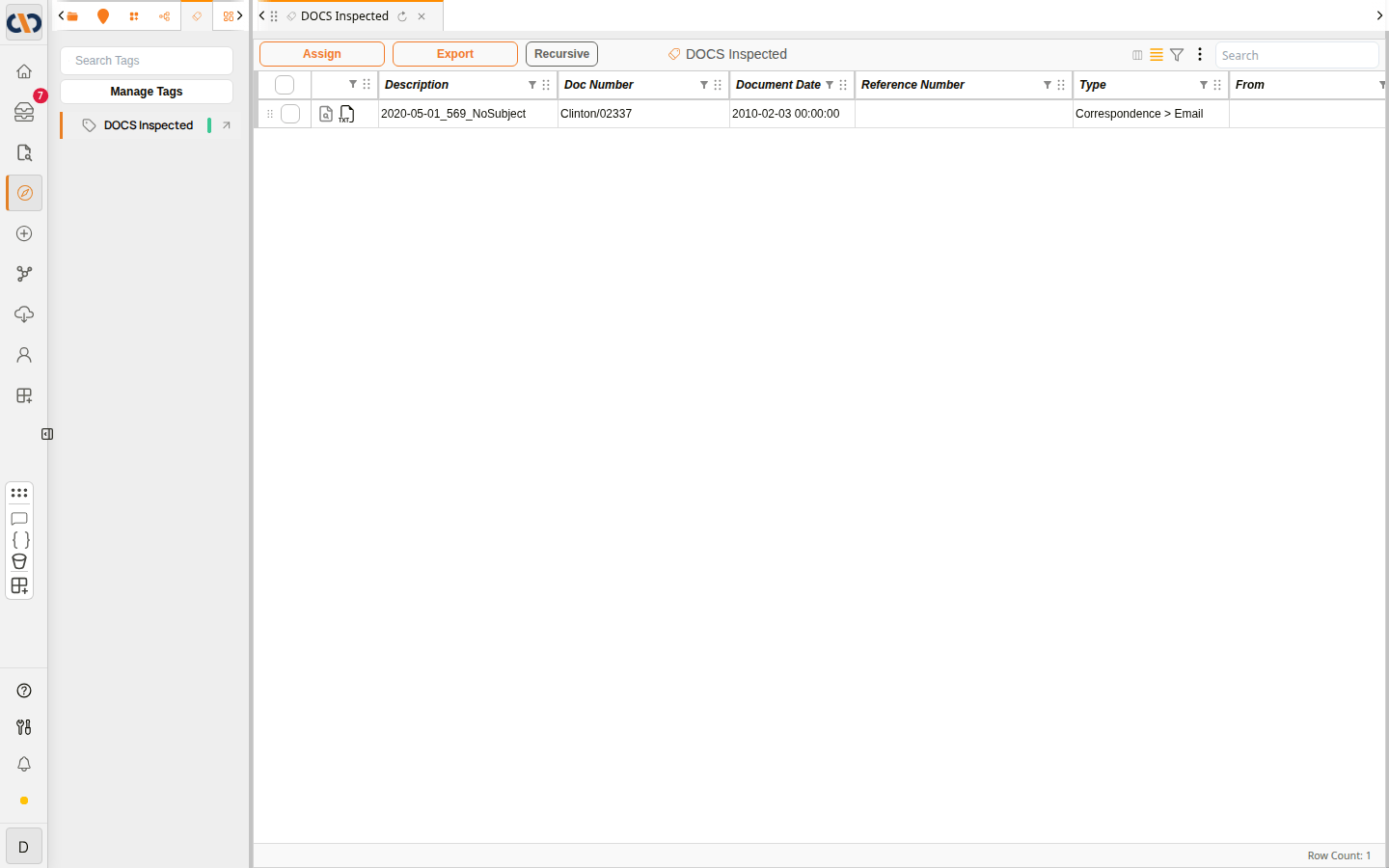 The Tags tab, with a tag open
| Item | Description |
|---|---|
| Search Tags | Finds a tag by name. |
| Manage Tags | Opens Tag Management (see below). |
| Tag name | Opens the tag in the grid on the right, replacing what the current tab shows. The coloured mark beside it is the tag's colour. |
| Arrow on the right of a tag | Opens the tag in a new tab, so you can keep the current one open. |
Working in an open tag
An open tag lists the documents that carry it, in the document grid. The Doc Grid features work here as they do elsewhere, and the toolbar has the same Assign and Export buttons as an open folder (see Folders).
Recursive also lists the documents that carry any of the tag's child tags, at every level, so you can see everything under a tag in one list. Select it again to list only the documents that carry the tag itself.
To add a tag to documents, see Tags for one document, or Assigning Docs for many at once.
Example: Adding a tag to several documents at once
Managing tags
If you are allowed to manage tags, Manage Tags opens Tag Management in a new tab. It shows a card for each tag, with its description, who created it and when, whether it is enabled, how many documents carry it and how many child tags it has. From here you can create tags and child tags, change a tag's settings, or disable a tag you no longer use.
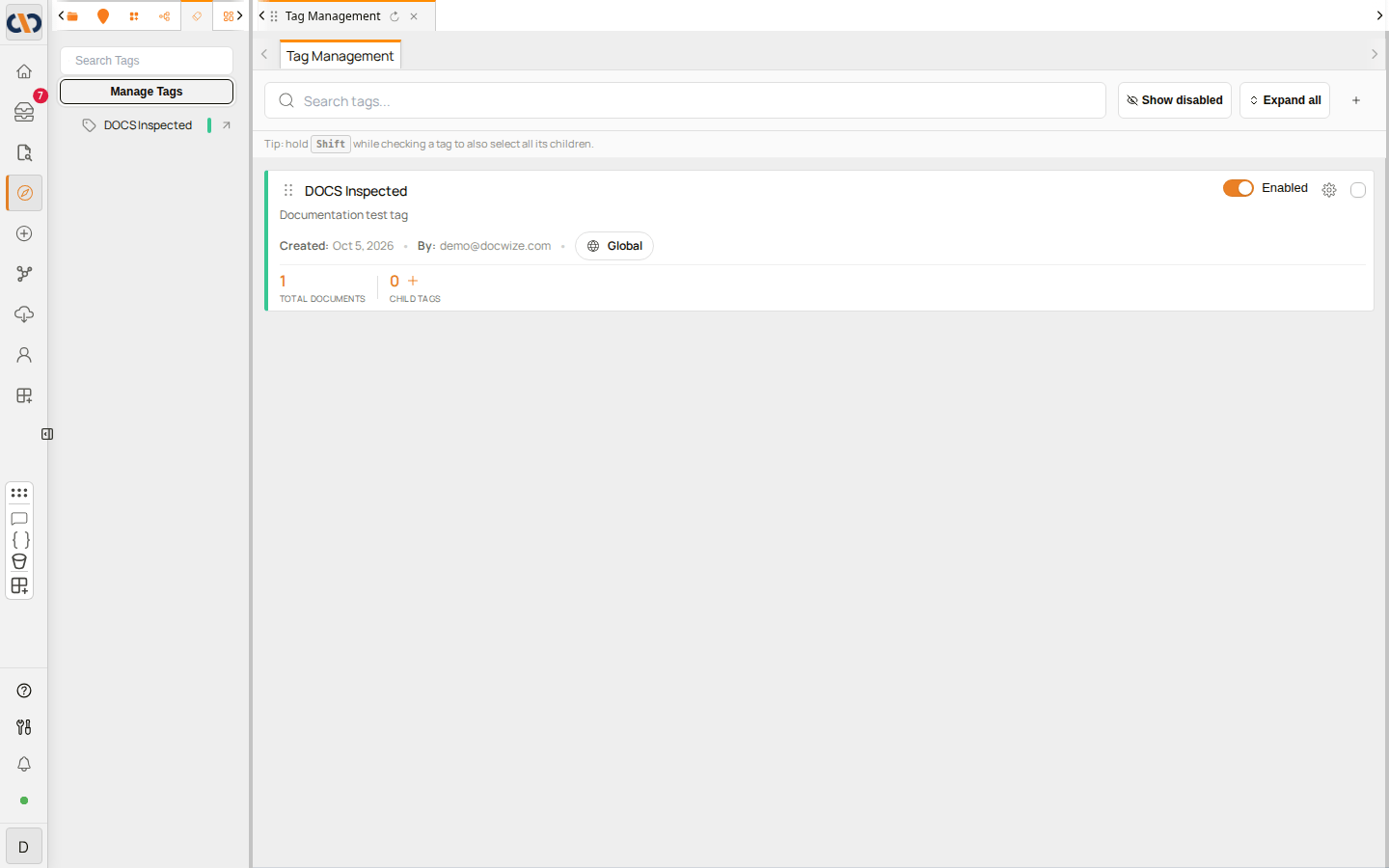 Tag Management
For how to create and manage tags, see Tags in System Configuration.