Action Request Nodes
An Action Request node sends a task to people and waits for their reply. The nodes on this page set up that task: its due date, the fields the recipient fills in, the attachments they upload, and the recipients chosen when the workflow starts. The action requests themselves, with their replies, are created in the Action Request Manager.
| Node | Palette category | Purpose |
|---|---|---|
| Action Request node | Action Requests | Sends the task and branches on the reply. |
| Due Date | Action Request Configuration | Sets the due date. |
| Capture Customfields | Action Request Configuration | Shows custom fields for the recipient to fill in. |
| Capture Standard Fields | Action Request Configuration | Shows document details for the recipient to fill in. |
| Capture Virtual Interface | Action Request Configuration | Shows a virtual interface to the recipient. |
| Workflow Initiation Input | Action Request Configuration | Asks the person starting the workflow to choose recipients. |
| Workflow Runtime Input | Action Request Configuration | Pauses the workflow to ask for recipients. See Recipient Nodes. |
| Attachment Config Node | Action Request Configuration | Asks the recipient to upload an attachment. |
| Review Cycle | System & Flow Control | Opens a review round from a review programme. |
| Office Online Review, Enable Review, Review Action, Review Action Reply Filter | Action Request Configuration | Legacy review options. |
Action Request Configuration nodes are connected to an input of the Action Request node. Most of them can also be added inside the node's Configure dialog instead.
Action Request node
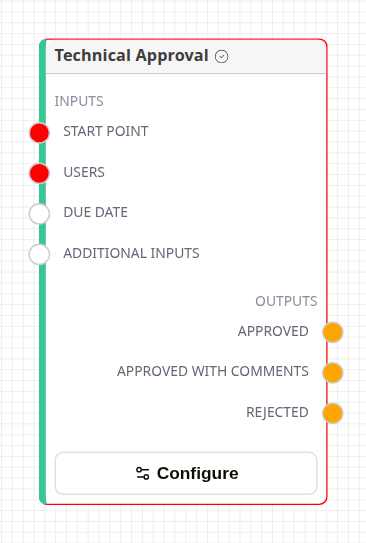
Action Request node
Action Requests in the palette has one entry per action request. The canvas right-click menu lists the same action requests under Action Requests, after Create New Action Request.
| Part | Description |
|---|---|
| Start Point | Connect the step that comes before. |
| Users | Connect recipient nodes. |
| Due Date | Connect a Due Date node. |
| Additional Inputs | Connect other settings nodes. |
| Outputs | One per reply of the action request. Connect each reply to the step that follows it. A reply with nothing connected ends that branch. |
| Configure | Opens the settings for this placement of the action request. |
Icons beside a reply show that it asks for an attachment, a replacement file, a signature or valid custom fields. A lock beside the name means the action request requires MFA.
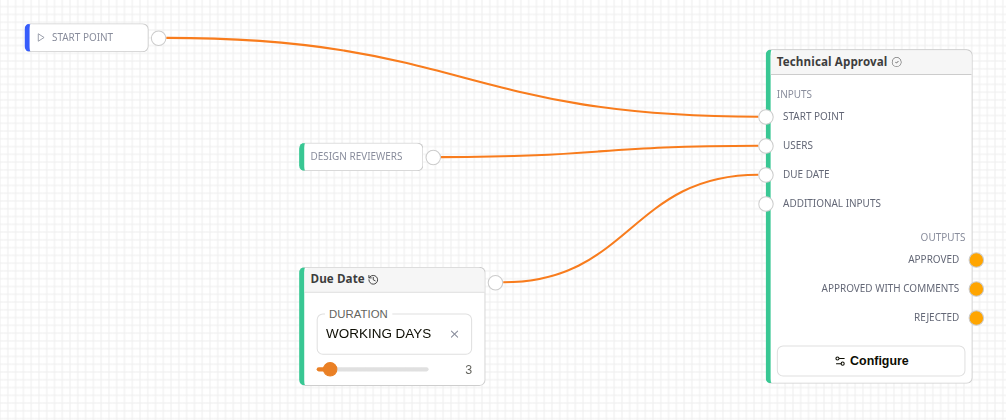
A connected Action Request node
The node has a red border until Start Point is connected and the task has someone to assign it to: a node on Users, or an Assignee, Assign to Initiator, Custom Field Email or Custom Field User added through Configure. A Workflow Initiation Input set to User Input or Group Input counts too, unless it offers only contacts. A Custom Field Email or Custom Field User counts once its template and field are chosen.
Below Configure, the node warns when an Assignee has no user or group selected (it is skipped when the template is saved), and when a setting used once is set both in Configure and by a connected node.
Every input accepts every Action Request Configuration node. The input a node is connected to only changes how the canvas reads.
Configure dialog
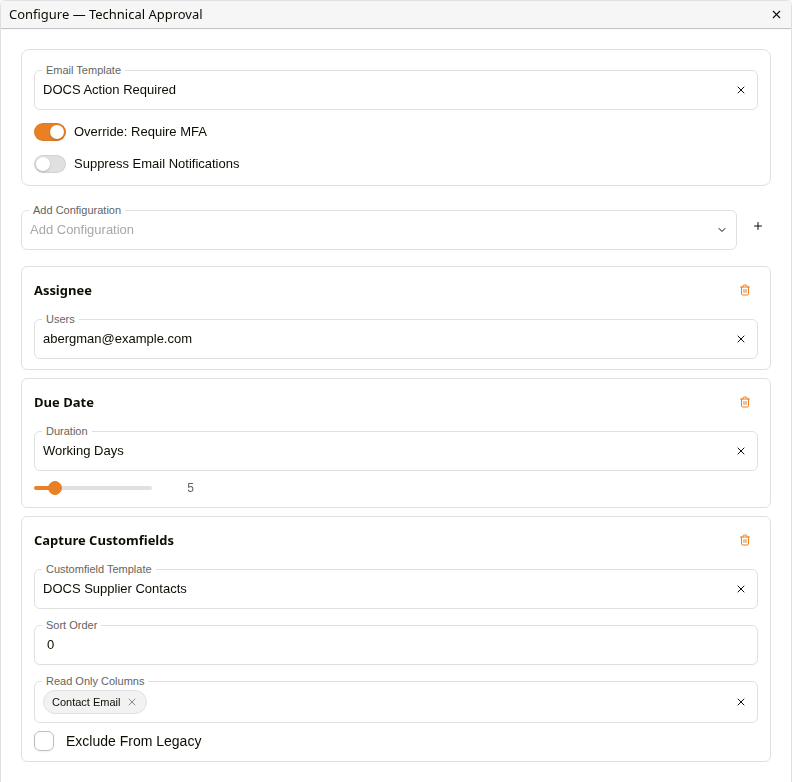
Configure dialog
| Setting | Description |
|---|---|
| Email Template | The email sent to each recipient. Left unset, the organisation's default action request template is used. |
| Override: Require MFA | On, recipients must pass MFA to answer. Off, the action request's own MFA setting applies. |
| Suppress Email Notifications | Creates the action requests without sending any email, including the invitation an external user would receive. |
| Add Configuration | Adds a setting to this placement. Pick a kind, then +. |
Add Configuration offers:
| Kind | Same as |
|---|---|
| Assignee | A user, user group or distribution group on Users. |
| Assign to Initiator | The Initiator node. |
| Due Date | The Due Date node. |
| Workflow Initiation Input | The Workflow Initiation Input node. |
| Attachment Config Node | The Attachment Config Node, without running a sub-workflow. |
| Custom Field Email, Custom Field User | The recipient nodes of the same name. |
| Capture Customfields, Capture Standard Fields, Capture Virtual Interface | The settings nodes of the same name. |
| Response Parser | Only available here. See below. |
| Review Allocation, Review Transfer | Only available here. Legacy. |
| Review Action, Review Action Reply Filter | The legacy review nodes of the same name. |
Added settings show as chips on the node. Kinds that allow only one instance leave the list once added. Settings added here are combined with the nodes connected on the canvas. For a setting used once (Assign to Initiator, Due Date and the review settings), the one in Configure is used.
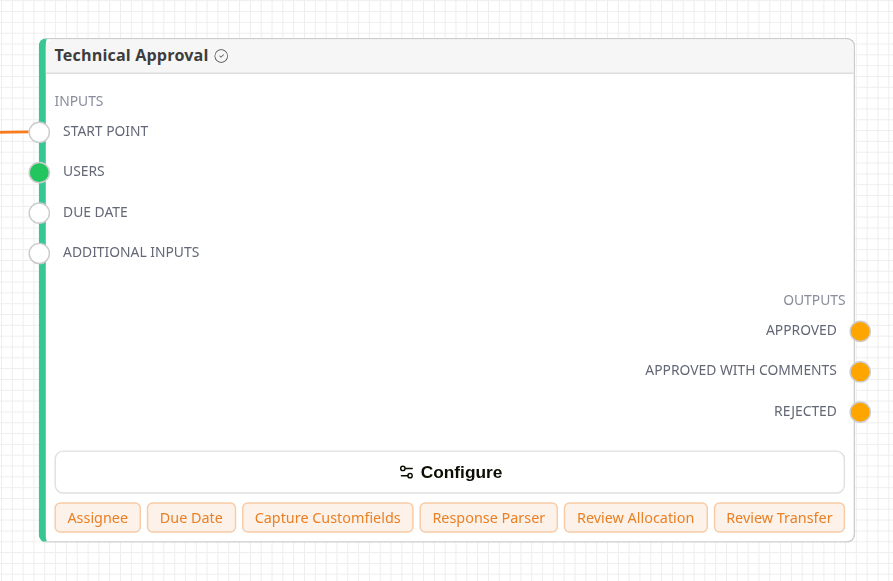
Configuration chips on the node
Response Parser
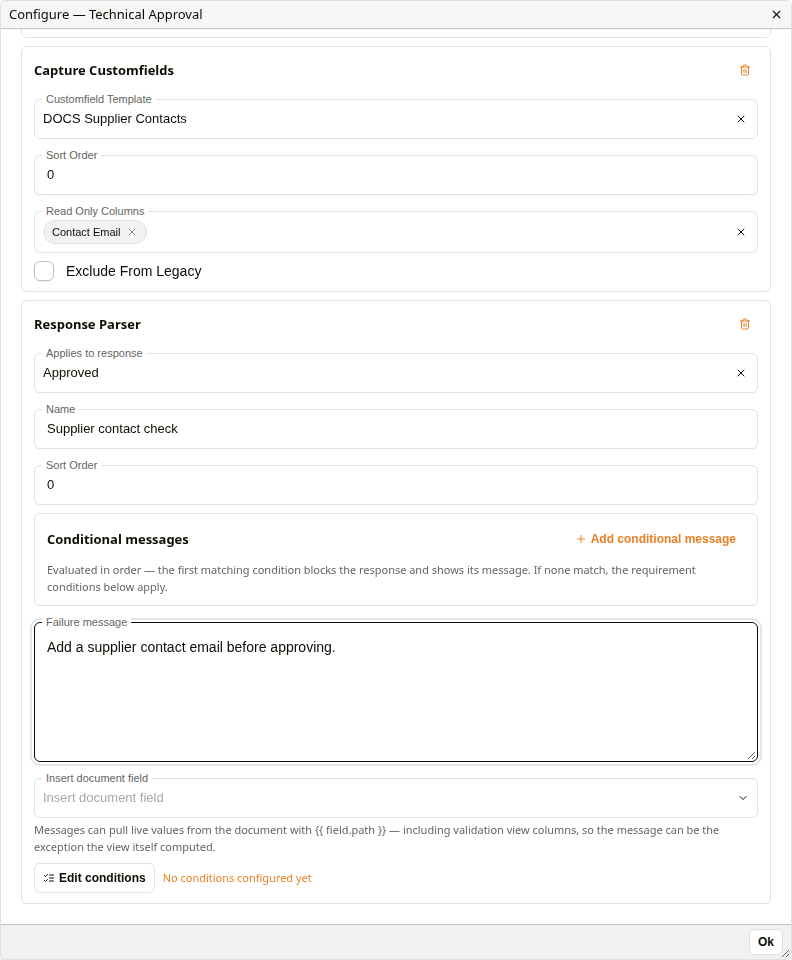
Response Parser
A Response Parser blocks a reply until the document meets conditions.
| Setting | Description |
|---|---|
| Applies to response | One reply, or All responses. |
| Name | Shown with the message when a reply is blocked. |
| Sort Order | The order parsers are checked in. |
| Conditional messages | Checked in order. The first message whose conditions match blocks the reply and is shown. Insert document field adds a live document value to the message. |
| Failure message | Shown when the main conditions are not met. |
| Edit conditions | The main conditions the document must meet. |
A recipient choosing a blocked reply sees This response cannot be submitted yet and the messages. A parser with no conditions blocks nothing.
Review options
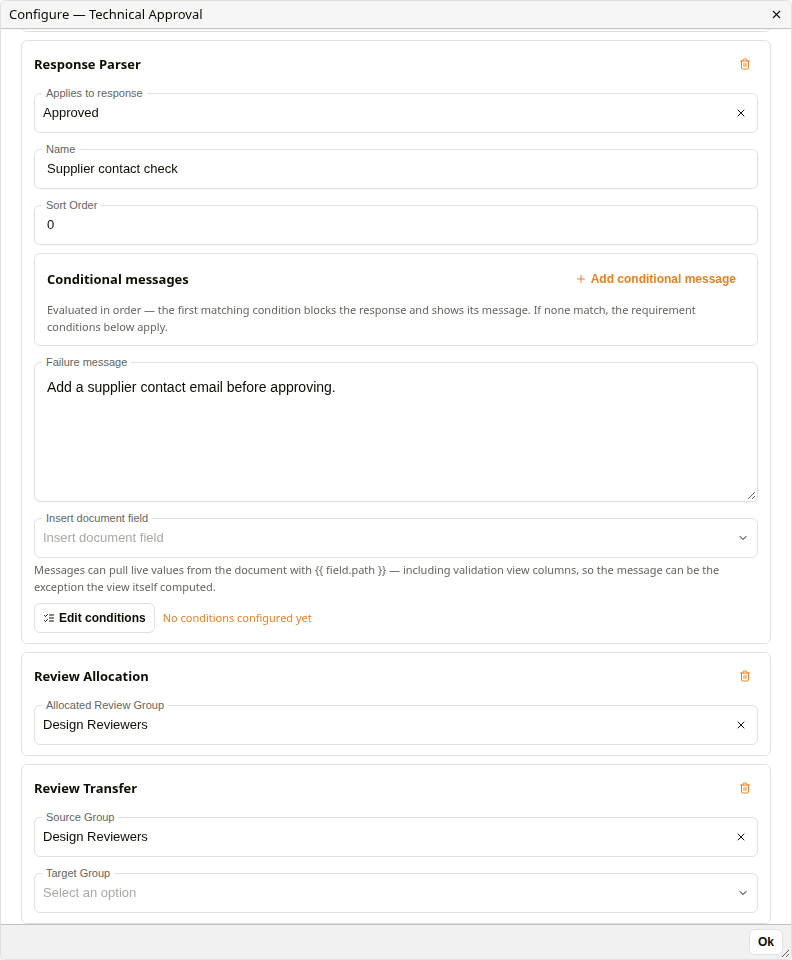
Review Allocation and Review Transfer
Review Allocation (Allocated Review Group) and Review Transfer (Source Group, Target Group) only affect the legacy Workflows app. The Inbox ignores them.
Connecting two Action Request nodes
Connecting a reply straight to another Action Request node inserts a node between them: All required (And Node), Only 1 (Cancel Node) or Passthrough (Placeholder Node), chosen with Default Action Node on the canvas toolbar. See Flow Control Nodes.
Due Date
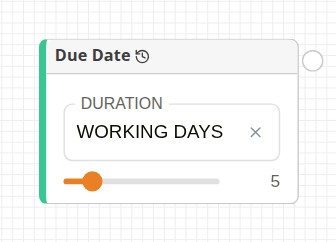
Due Date node
Sets the due date: Duration (Working Days, Days, Weeks or Months) and a count from 1 to 31. The due date counts from when the action request is created. Working Days skips weekends only, not public holidays.
Capture Customfields
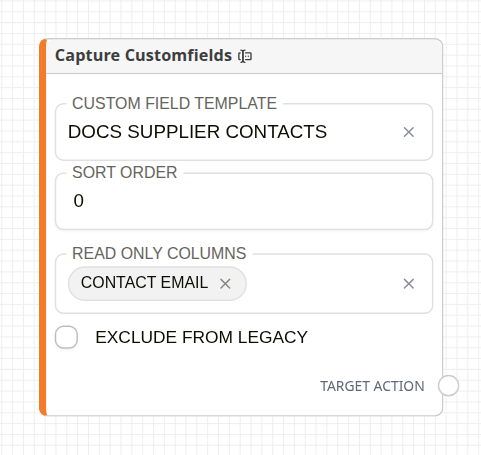
Capture Customfields node
Shows a custom field template to the recipient, who fills it in before replying.
| Setting | Description |
|---|---|
| Custom Field Template | The custom field template to show. |
| Sort Order | Its position among the captures on this action. |
| Read Only Columns | Fields shown but not editable. |
| Use Direct GridLink Edit Mode | For GridLink templates only: edit the linked rows directly. |
| Exclude From Legacy | Hides the capture in the legacy Workflows app. |
Capture Standard Fields
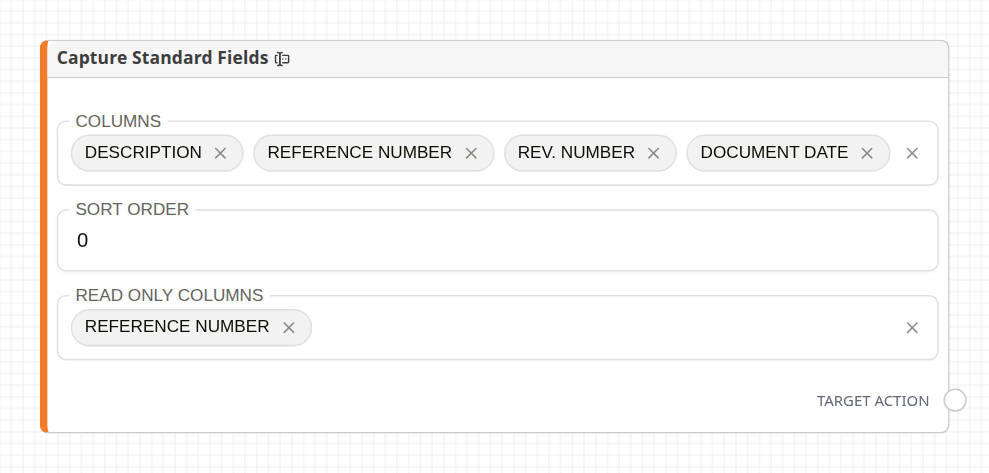
Capture Standard Fields node
Shows document details, such as Description, Reference Number and Document Date, for the recipient to fill in. Read Only Columns shows fields without letting them be edited. Add those fields to Columns too.
Capture Virtual Interface
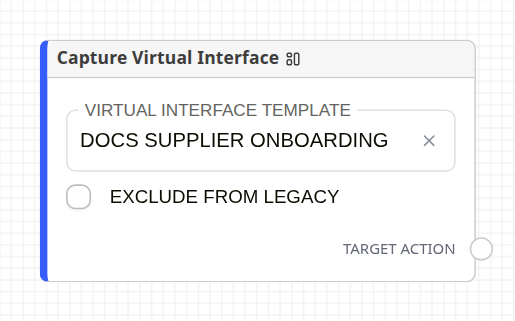
Capture Virtual Interface node
Shows a virtual interface, chosen in Virtual Interface Template, below the recipient's other inputs. Exclude From Legacy hides it in the legacy Workflows app.
Workflow Initiation Input
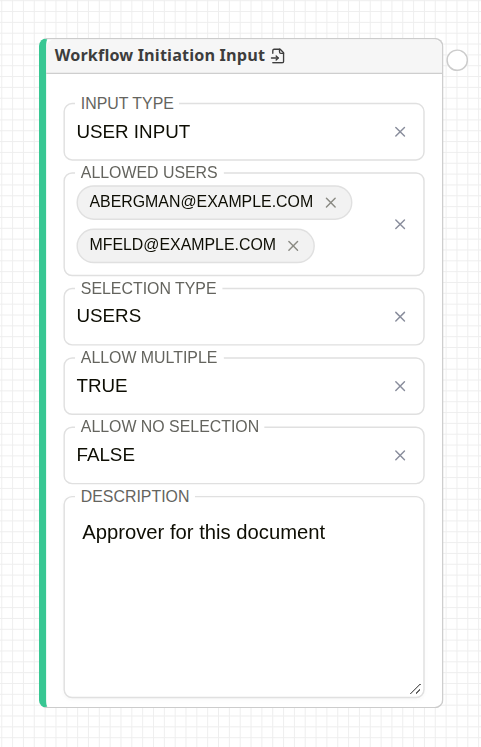
Workflow Initiation Input node
Adds a question to the dialog shown when someone starts the workflow. The people they choose become recipients of the connected action request.
| Setting | Description |
|---|---|
| Input Type | User Input asks for people. Group Input asks for members of the group chosen in Filtered Group. Date Input asks for the connected action request's due date as Due in and a Duration unit. Calculated Input marks an input filled in by a calculation node (see Recipient Nodes). |
| Allowed Users | Limits the people offered. Empty offers everyone. |
| Filtered Group | Group Input only. The group whose members are offered. |
| Selection Type | Users, Contacts or Users + Contacts. |
| Allow No Selection | False makes the choice mandatory before the workflow can start. |
| Allow Multiple | User Input and Group Input only. False allows one choice. |
| Description | The tab label in the start dialog. |
Give every input its own Description: inputs with the same description are merged into one tab.
Attachment Config Node
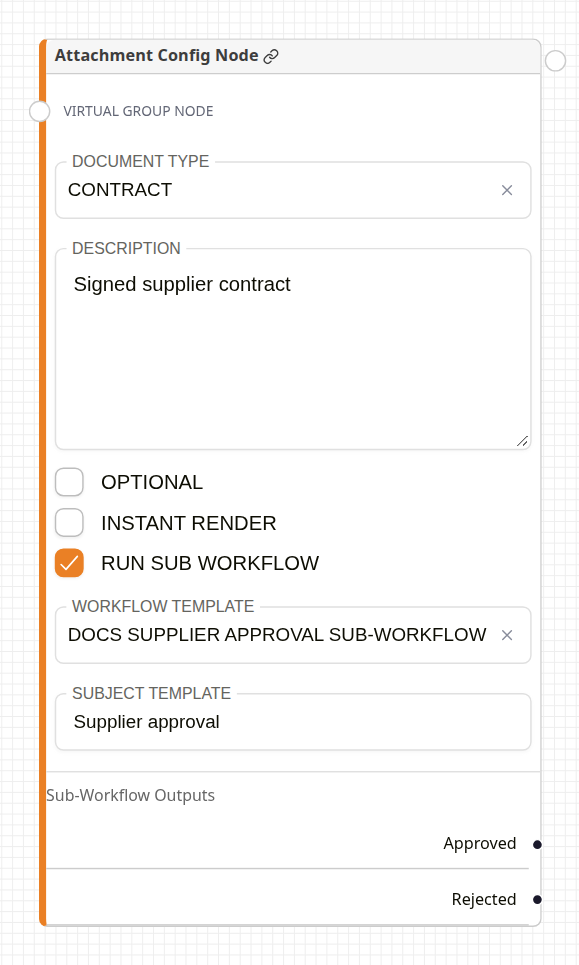
Attachment Config node
Adds an attachment upload slot to the action request.
| Setting | Description |
|---|---|
| Virtual Group Node (input) | Connect a Virtual Group Node to add the uploads to one shared sub-workflow, named by the group's subject template. |
| Document Type | The type given to the uploaded attachment. |
| Description | The slot's label. Give each slot on an action its own. |
| Optional | The recipient may reply without uploading. |
| Instant Render | Shows the slot as soon as the action opens, rather than when a reply is chosen. |
| Run Sub Workflow | Starts a workflow on each uploaded attachment. Choose its Workflow Template, and the Subject Template that names it. The template's Output nodes appear as outputs of this node. |
The slot is only enforced for replies that have Requires Attachment Upload.
Review Cycle
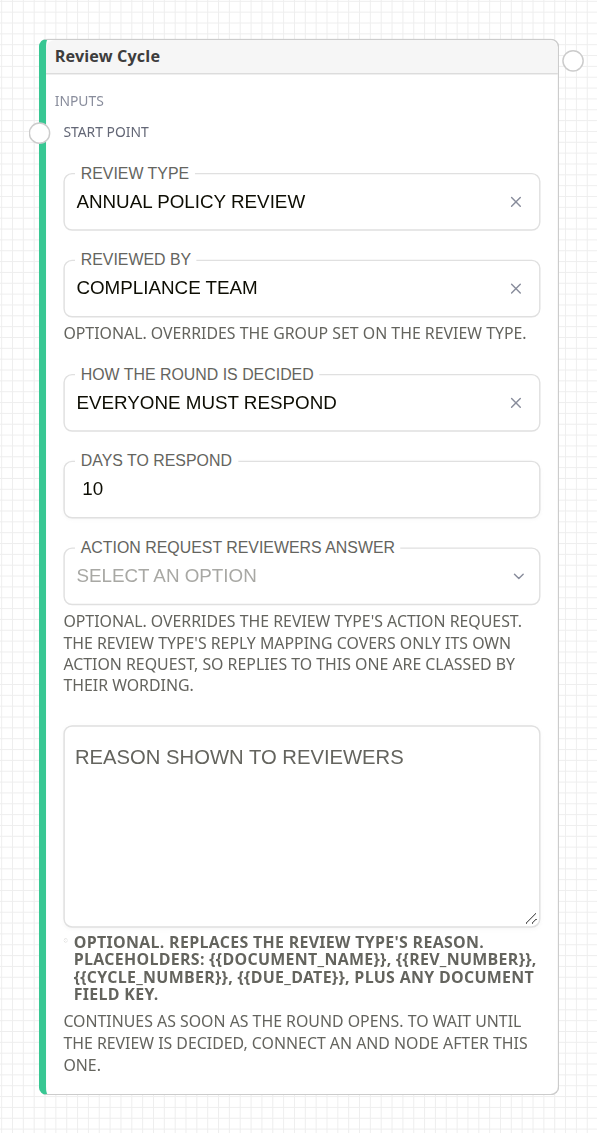
Review Cycle node
Opens a review round on the workflow document, using a review programme. The workflow continues as soon as the round opens. To wait until the review is decided, connect an All required (And Node) after it: it holds the branch until the round closes. See Review Setup.
Legacy review nodes
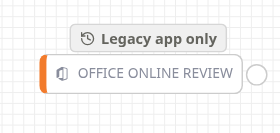
Office Online Review node
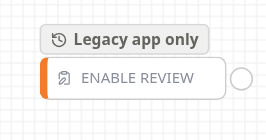
Enable Review node
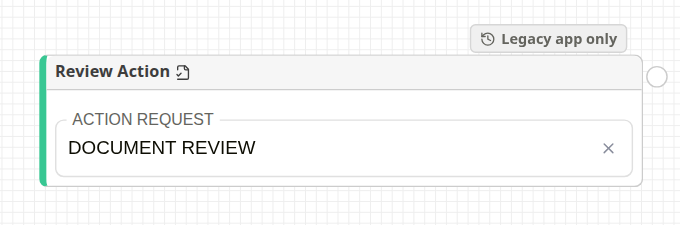
Review Action node
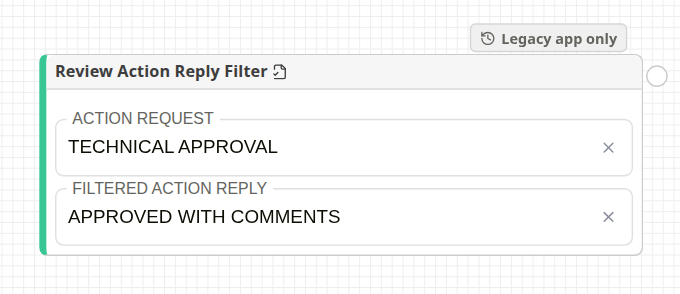
Review Action Reply Filter node
Office Online Review, Enable Review, Review Action and Review Action Reply Filter only change how the legacy Workflows app opens the action. Office Online Review adds an Open in Office button for Office documents, and Enable Review opens the document in review mode. The palette, the right-click menu and each card mark these nodes Legacy app only.
Related configuration
- Action Requests: creating action requests and their replies
- Recipient Nodes: who receives an action request
- Flow Control Nodes: waiting for replies with All required, Only 1 and Passthrough nodes